> ## Documentation Index
> Fetch the complete documentation index at: https://noradocs.solomontsao.com/llms.txt
> Use this file to discover all available pages before exploring further.
# Provisioner backends
# Choose a provisioner backend for agents
> Compare Docker, Remote Docker, Kubernetes, experimental Proxmox LXC placement, and the experimental NemoClaw sandbox profile to pick the right agent isolation and scaling strategy for your Nora deployment.
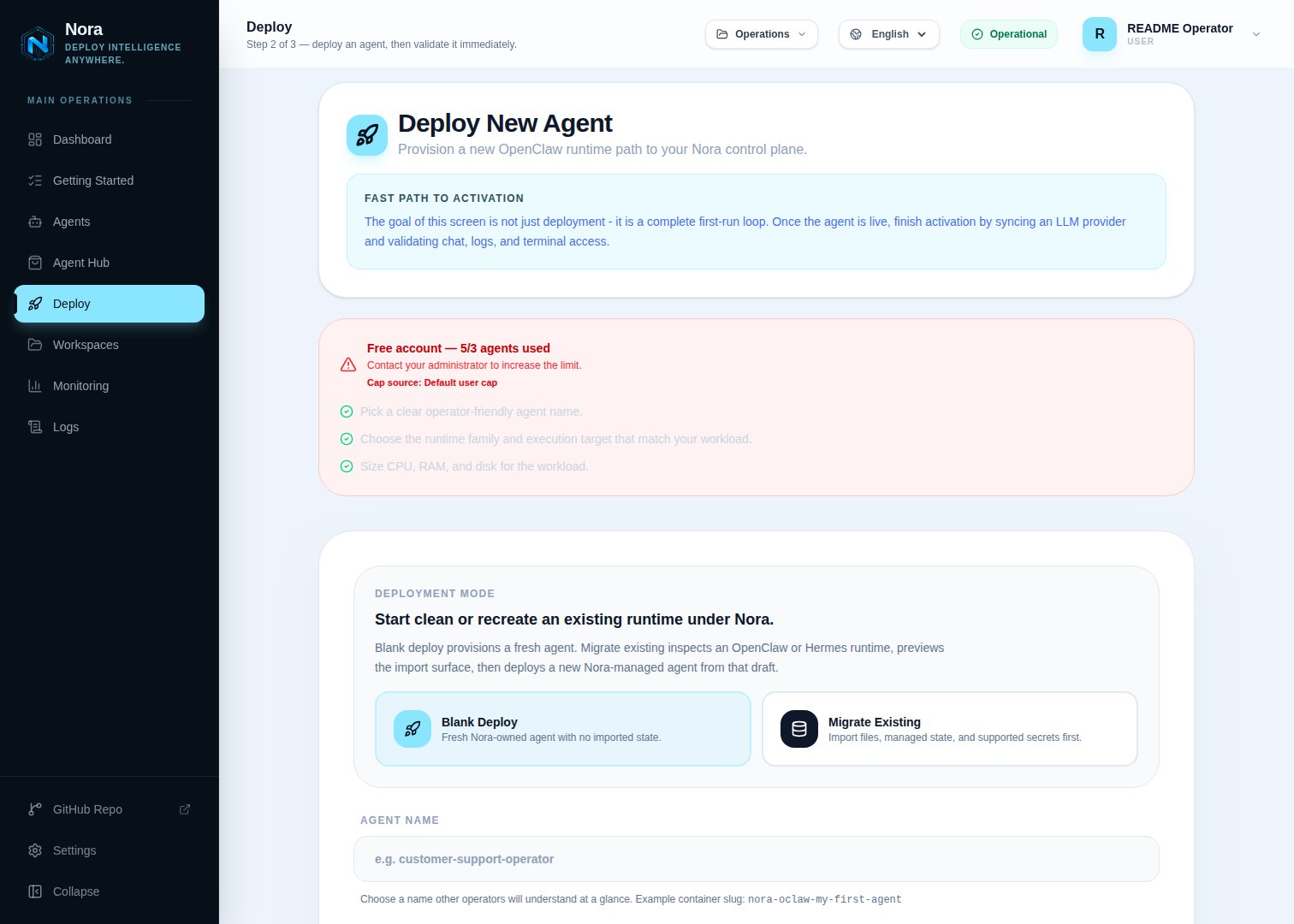
Nora provisions agent runtimes onto execution targets selected in the Deploy flow. Docker and Kubernetes are GA paths. Docker is the default. Remote Docker is a self-hosted-only, experimental bring-your-own-compute path for personal or platform Docker machines reached over SSH. Personal hosts are registered in **App -> Remote Hosts**; platform admins register shared platform hosts in **Admin -> Remote Hosts**. Kubernetes clusters are registered in **Admin -> Kubernetes** so one Nora control plane can manage several clusters at once. Proxmox is an opt-in experimental LXC target for OpenClaw and prepared Hermes images. NemoClaw is an experimental OpenClaw sandbox profile layered onto supported targets, but NemoClaw on Proxmox remains blocked.
 Single-host deployments, local development, and quick evaluation.
Connect and validate a personal or platform Docker host through encrypted credentials and pinned
SSH.
Opt-in unprivileged LXC placement through the Proxmox API and pinned SSH.
K3s, AKS, GKE, EKS, or another conformant Kubernetes cluster.
## Comparing backends
| | Docker | Remote Docker | Proxmox | Kubernetes |
| ---------------------- | --------------------------------------- | -------------------------------------------------- | -------------------------------------------- | ----------------------------------------- |
| **Support status** | GA | Experimental | Experimental | GA |
| **Deployment scale** | Nora control-plane host | One or more registered standalone hosts | Private VM/LXC fleet | Multi-node cluster |
| **Agent isolation** | Container | Container on the selected remote host | Proxmox LXC | Pod and namespace boundaries |
| **Setup complexity** | Low | Medium - SSH, Docker access, routing, and firewall | Medium - Proxmox API plus SSH bootstrap | Medium to high - cluster and kubeconfig |
| **Best for** | Local dev, evaluation, lean self-hosted | BYOC machines, private VPSs, and edge hosts | On-prem and private infrastructure operators | Cloud-native and managed-cluster rollouts |
| **Horizontal scaling** | No | Manual placement across registered hosts | Limited by Proxmox fleet capacity | Yes |
## Runtime selection
Runtime selection is three-dimensional:
```bash theme={null} theme={null}
ENABLED_RUNTIME_FAMILIES=openclaw
ENABLED_BACKENDS=docker
ENABLED_SANDBOX_PROFILES=standard
```
Use `ENABLED_BACKENDS=docker` for normal onboarding, or `docker,proxmox` to opt into the experimental LXC path after secure API/SSH configuration. Cluster-only control planes such as the official Helm install use `ENABLED_BACKENDS=k8s` as a sentinel that disables the local Docker target; it does not create a generic selectable cluster. Concrete Kubernetes deploy targets still come only from the Admin cluster registry. Run the live Proxmox smoke before production use.
Do not add `remote-docker` to `ENABLED_BACKENDS`. On a self-hosted Nora control plane, register a personal host in **App -> Remote Hosts** or a platform host in **Admin -> Remote Hosts**, then run **Test**. Each enabled, configured host with a successful Docker-over-SSH test is injected dynamically as `remote:` for users who can deploy to it. Personal hosts are private unless shared to a workspace; platform hosts default to restricted and support all-account, direct-user, user-group, and workspace grants. The current Deploy picker exposes registered targets only for OpenClaw. Hermes support exists in the backend and worker as an advanced API path, but the current Hermes picker does not list remote hosts. Start with [Connect a Remote Docker host](/guides/remote-docker), then use the [backend reference](/configuration/provisioner-backends/remote-docker) for the complete SSH host-key, firewall, capacity, access, and recovery contract.
Register Kubernetes clusters in **Admin -> Kubernetes**. Each enabled registry row with a passing **Test** result becomes a separate deploy target with an id like `k8s:aks-eastus2`, while persisted agents still use the base `k8s` adapter internally. Failed, untested, or disabled clusters stay visible in Admin but are hidden from the Deploy page for both OpenClaw and Hermes. The Deploy page shows the cluster label, provider, actual cluster name, namespace, and exposure mode so operators can tell AKS, GKE, EKS, K3s, Kind, or generic clusters apart.
Each Kubernetes provider guide includes the Admin registry values for that backend. Put kubeconfig files under `NORA_KUBECONFIGS_DIR`; `docker-compose.kubernetes.yml` mounts that directory at `/kubeconfigs`, so Admin rows can point to paths such as `/kubeconfigs/aks-eastus2` and `/kubeconfigs/aks-westus2`.
## Kubernetes providers
The Kubernetes adapter is provider-neutral. Nora talks to the Kubernetes API through the kubeconfig stored on each Admin-registered cluster, then creates Deployments and Services for each OpenClaw or Hermes agent. Compose overlays only mount kubeconfig files into the containers; provider, namespace, exposure, Service annotation, and load-balancer options are saved on the Admin cluster row.
Adapter contract, exposure modes, namespace, service annotations, and RBAC expectations.
Lightweight self-hosted Kubernetes setup through the generic Kubernetes overlay.
Azure Kubernetes Service setup through the generic Kubernetes overlay.
Google Kubernetes Engine setup through the generic Kubernetes overlay.
Amazon EKS setup through the generic Kubernetes overlay.
## Related references
* [Environment variables](/configuration/environment-variables)
* [Deploy an agent](/guides/deploy-agent)
* [Connect a Remote Docker host](/guides/remote-docker)
* [NemoClaw sandbox](/guides/nemoclaw)
Single-host deployments, local development, and quick evaluation.
Connect and validate a personal or platform Docker host through encrypted credentials and pinned
SSH.
Opt-in unprivileged LXC placement through the Proxmox API and pinned SSH.
K3s, AKS, GKE, EKS, or another conformant Kubernetes cluster.
## Comparing backends
| | Docker | Remote Docker | Proxmox | Kubernetes |
| ---------------------- | --------------------------------------- | -------------------------------------------------- | -------------------------------------------- | ----------------------------------------- |
| **Support status** | GA | Experimental | Experimental | GA |
| **Deployment scale** | Nora control-plane host | One or more registered standalone hosts | Private VM/LXC fleet | Multi-node cluster |
| **Agent isolation** | Container | Container on the selected remote host | Proxmox LXC | Pod and namespace boundaries |
| **Setup complexity** | Low | Medium - SSH, Docker access, routing, and firewall | Medium - Proxmox API plus SSH bootstrap | Medium to high - cluster and kubeconfig |
| **Best for** | Local dev, evaluation, lean self-hosted | BYOC machines, private VPSs, and edge hosts | On-prem and private infrastructure operators | Cloud-native and managed-cluster rollouts |
| **Horizontal scaling** | No | Manual placement across registered hosts | Limited by Proxmox fleet capacity | Yes |
## Runtime selection
Runtime selection is three-dimensional:
```bash theme={null} theme={null}
ENABLED_RUNTIME_FAMILIES=openclaw
ENABLED_BACKENDS=docker
ENABLED_SANDBOX_PROFILES=standard
```
Use `ENABLED_BACKENDS=docker` for normal onboarding, or `docker,proxmox` to opt into the experimental LXC path after secure API/SSH configuration. Cluster-only control planes such as the official Helm install use `ENABLED_BACKENDS=k8s` as a sentinel that disables the local Docker target; it does not create a generic selectable cluster. Concrete Kubernetes deploy targets still come only from the Admin cluster registry. Run the live Proxmox smoke before production use.
Do not add `remote-docker` to `ENABLED_BACKENDS`. On a self-hosted Nora control plane, register a personal host in **App -> Remote Hosts** or a platform host in **Admin -> Remote Hosts**, then run **Test**. Each enabled, configured host with a successful Docker-over-SSH test is injected dynamically as `remote:` for users who can deploy to it. Personal hosts are private unless shared to a workspace; platform hosts default to restricted and support all-account, direct-user, user-group, and workspace grants. The current Deploy picker exposes registered targets only for OpenClaw. Hermes support exists in the backend and worker as an advanced API path, but the current Hermes picker does not list remote hosts. Start with [Connect a Remote Docker host](/guides/remote-docker), then use the [backend reference](/configuration/provisioner-backends/remote-docker) for the complete SSH host-key, firewall, capacity, access, and recovery contract.
Register Kubernetes clusters in **Admin -> Kubernetes**. Each enabled registry row with a passing **Test** result becomes a separate deploy target with an id like `k8s:aks-eastus2`, while persisted agents still use the base `k8s` adapter internally. Failed, untested, or disabled clusters stay visible in Admin but are hidden from the Deploy page for both OpenClaw and Hermes. The Deploy page shows the cluster label, provider, actual cluster name, namespace, and exposure mode so operators can tell AKS, GKE, EKS, K3s, Kind, or generic clusters apart.
Each Kubernetes provider guide includes the Admin registry values for that backend. Put kubeconfig files under `NORA_KUBECONFIGS_DIR`; `docker-compose.kubernetes.yml` mounts that directory at `/kubeconfigs`, so Admin rows can point to paths such as `/kubeconfigs/aks-eastus2` and `/kubeconfigs/aks-westus2`.
## Kubernetes providers
The Kubernetes adapter is provider-neutral. Nora talks to the Kubernetes API through the kubeconfig stored on each Admin-registered cluster, then creates Deployments and Services for each OpenClaw or Hermes agent. Compose overlays only mount kubeconfig files into the containers; provider, namespace, exposure, Service annotation, and load-balancer options are saved on the Admin cluster row.
Adapter contract, exposure modes, namespace, service annotations, and RBAC expectations.
Lightweight self-hosted Kubernetes setup through the generic Kubernetes overlay.
Azure Kubernetes Service setup through the generic Kubernetes overlay.
Google Kubernetes Engine setup through the generic Kubernetes overlay.
Amazon EKS setup through the generic Kubernetes overlay.
## Related references
* [Environment variables](/configuration/environment-variables)
* [Deploy an agent](/guides/deploy-agent)
* [Connect a Remote Docker host](/guides/remote-docker)
* [NemoClaw sandbox](/guides/nemoclaw)