> ## Documentation Index
> Fetch the complete documentation index at: https://noradocs.solomontsao.com/llms.txt
> Use this file to discover all available pages before exploring further.
# Kubernetes
# Kubernetes provisioner backend
> Run Nora agents as Kubernetes Deployments and Services through the generic `k8s` execution target.
The Kubernetes backend is provider-neutral. Nora reads a kubeconfig, creates a namespace if needed, schedules one Deployment per agent, and creates one Service per agent. OpenClaw Services expose the runtime and gateway ports; Hermes Services expose the runtime and dashboard ports.
During stop/start/restart, Nora patches the existing Kubernetes Deployment for the selected cluster and uses stored namespace hints from the agent host when needed. During delete or redeploy, Nora deletes the previous Deployment, Service, and bootstrap ConfigMap before removing or replacing the control-plane runtime reference. These lifecycle paths run through the same shared adapter for K3s, AKS, GKE, EKS, and generic Kubernetes clusters.
Stopping an agent scales its Deployment to `0` replicas. Cloud consoles such as AKS can still show the zero-replica Deployment itself as `OK` because the object is healthy and matching its desired state; verify stop by checking that desired/ready replicas are `0` and that no pods remain for the agent. Use delete or redeploy when the Deployment and Service objects should be removed.
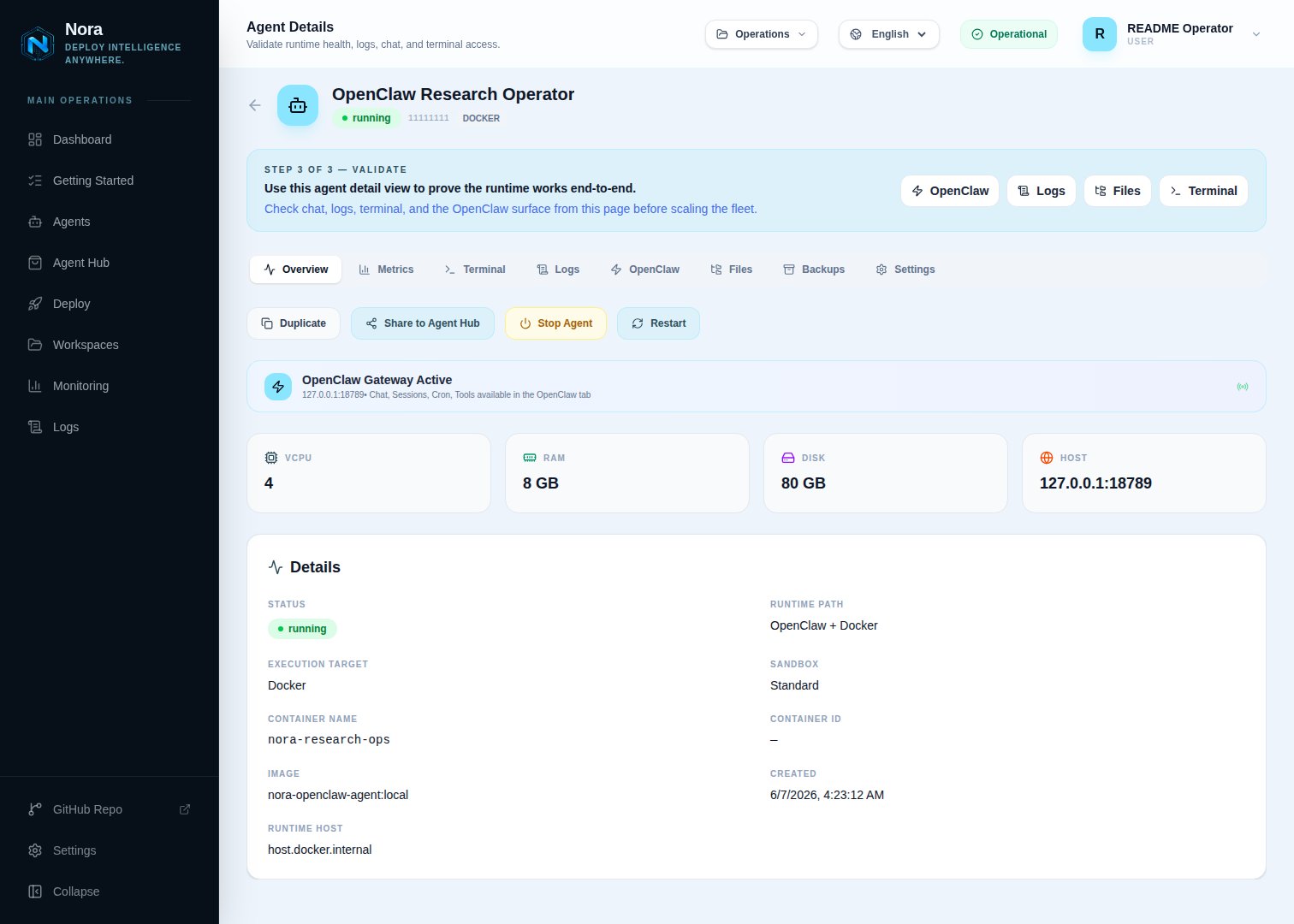
The agent Overview tab shows the live Kubernetes pod replica snapshot in the Details block: desired, current, ready, available, and updated counts from the Deployment.
 ## Configuration
Two Kubernetes install models are supported. (1) Nora runs in Docker Compose and provisions agents
into one or more registered clusters via mounted kubeconfigs (this page). (2) Run the Nora control
plane itself inside Kubernetes with the official Helm chart at `infra/helm/nora` — see the
Kubernetes (Helm) section of [Self-hosting](/self-hosting). Under Helm the chart sets
`ENABLED_BACKENDS=k8s` and mounts agent kubeconfigs via `kubeconfigs.existingSecret`.
Register Kubernetes clusters in **Admin -> Kubernetes**. Nora does not create a Kubernetes execution target from `.env`; each enabled Admin row with a passing connection test becomes a concrete execution target such as `k8s:aks-eastus2`.
For production, prefer a scoped identity or service account with the permissions below instead of a broad cluster-admin kubeconfig.
## Cluster registry
Open **Admin -> Kubernetes** and register one row per cluster. Enabled rows appear in the operator Deploy page as separate execution targets only after the latest Admin **Test** result is `ok`:
| Field | Purpose |
| ----------------------- | -------------------------------------------------------------------------------------------------------------- |
| Cluster id | Stable id used in persisted agents, for example `k8s:aks-eastus2`. |
| Label | Operator-facing name shown in Deploy and runtime cards. |
| Actual cluster name | Cloud or kubeconfig cluster name, shown in target descriptions so operators know which backend is which. |
| Credential mode | Use a mounted kubeconfig path or encrypted kubeconfig content. Encrypted kubeconfigs require `ENCRYPTION_KEY`. |
| Namespaces and exposure | Per-cluster overrides for OpenClaw, Hermes, Service type, annotations, source ranges, and load-balancer class. |
Agents deployed to a registry entry keep `deploy_target=k8s` and store the selected cluster in `execution_target_id`.
### Admin registry setup
Use clear labels so the Deploy page can show a named cluster such as **AKS East US 2** instead of a generic Kubernetes target.
With `docker-compose.kubernetes.yml`, `NORA_KUBECONFIGS_DIR` is mounted into both
`backend-api` and `worker-provisioner` as `/kubeconfigs`. Put one kubeconfig file in that
directory for each cluster Nora should control.
| Setup | Host-side `.env` value | Admin Kubeconfig path |
| ---------------------- | --------------------------------------------------------------- | --------------------------------------------- |
| Single cluster | `NORA_KUBECONFIGS_DIR=./.secrets/kubeconfigs` | `/kubeconfigs/aks-eastus2` |
| Multiple mounted files | `NORA_KUBECONFIGS_DIR=./.secrets/kubeconfigs` | `/kubeconfigs/` |
| Kind smoke | `CONTAINER_KUBECONFIG_PATH=/tmp/nora-kind.container.kubeconfig` | `/kubeconfigs/nora-kind.container.kubeconfig` |
The value used in the Admin form is the container path, not the host path.
Sign in as an admin and open **Admin -> Kubernetes**. Click **Add cluster**.
Use stable values that make the Deploy page obvious to operators:
| Field | Example |
| ------------------- | ------------------- |
| Cluster id | `aks-eastus2` |
| Label | `AKS East US 2` |
| Provider | `AKS` |
| Actual cluster name | `nora-dns-vjb9kjjz` |
For an AKS kubeconfig copied to `./.secrets/kubeconfigs/aks-eastus2`, use:
| Field | Value |
| --------------- | -------------------------- |
| Credential mode | `Mounted kubeconfig path` |
| Kubeconfig path | `/kubeconfigs/aks-eastus2` |
Do not enter `./.secrets/aks-kubeconfig` in this field unless Nora is running directly on the
host without Docker. In Compose, always use the path under `/kubeconfigs`.
For AKS LoadBalancer deployments:
| Field | Value |
| ------------------------ | ------------------------------------------------------------------------------ |
| Fallback namespace | `nora-openclaw-agents` |
| OpenClaw namespace | `nora-openclaw-agents` |
| Hermes namespace | `nora-hermes-agents` |
| Exposure mode | `LoadBalancer` |
| Service annotations JSON | `{}` for public load balancers, or the internal-LB annotation JSON when needed |
| Source ranges | Your Nora control-plane egress CIDR when you can restrict access |
| Load balancer class | Leave empty for normal AKS Services |
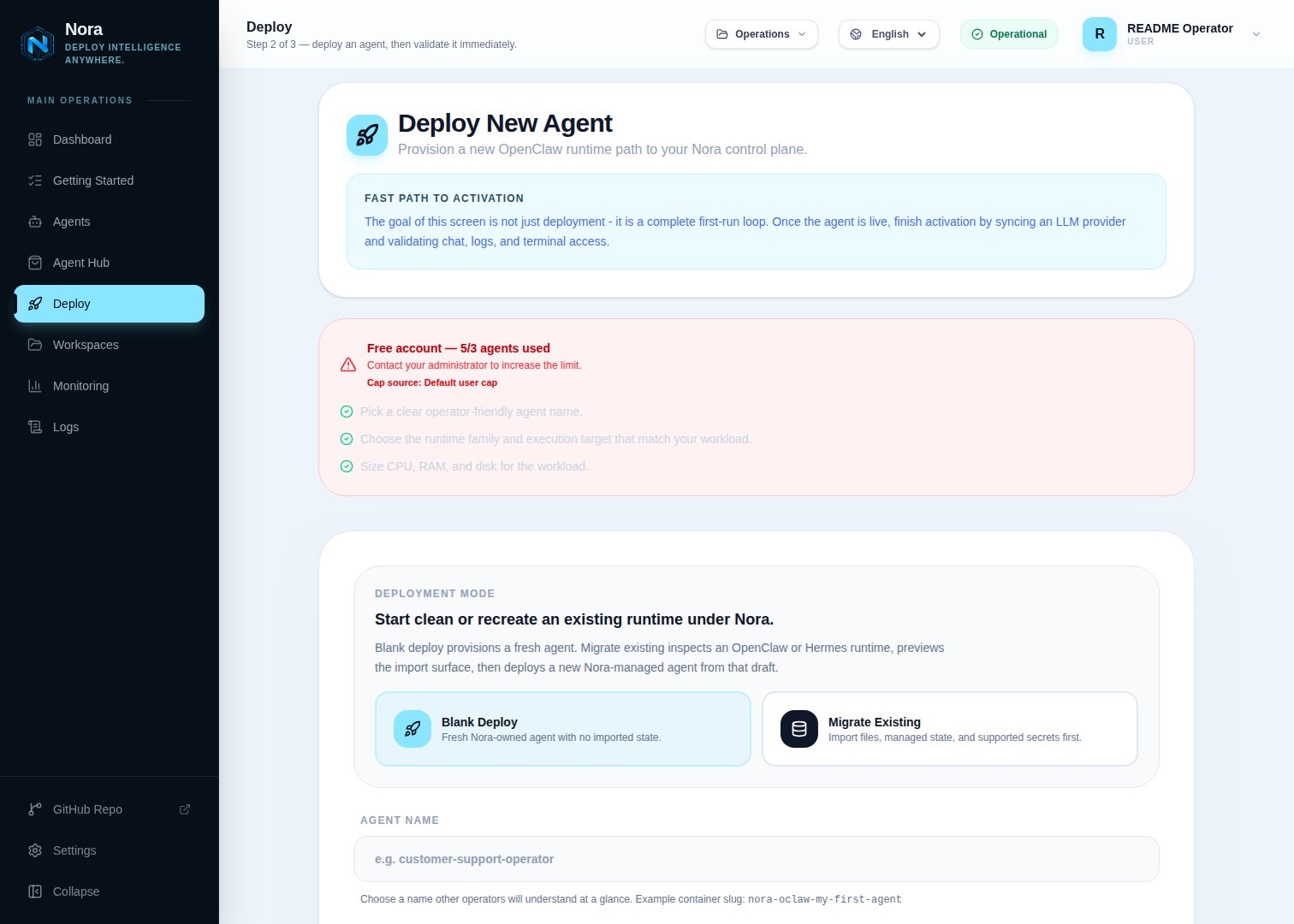
Save the cluster, click **Test**, then open the operator Deploy page. Nora hides failed,
untested, and disabled Kubernetes clusters from Deploy for both OpenClaw and Hermes. Once the
latest test is `ok`, the execution target appears as `k8s:aks-eastus2` internally and as the
label you configured in the UI.
## Configuration
Two Kubernetes install models are supported. (1) Nora runs in Docker Compose and provisions agents
into one or more registered clusters via mounted kubeconfigs (this page). (2) Run the Nora control
plane itself inside Kubernetes with the official Helm chart at `infra/helm/nora` — see the
Kubernetes (Helm) section of [Self-hosting](/self-hosting). Under Helm the chart sets
`ENABLED_BACKENDS=k8s` and mounts agent kubeconfigs via `kubeconfigs.existingSecret`.
Register Kubernetes clusters in **Admin -> Kubernetes**. Nora does not create a Kubernetes execution target from `.env`; each enabled Admin row with a passing connection test becomes a concrete execution target such as `k8s:aks-eastus2`.
For production, prefer a scoped identity or service account with the permissions below instead of a broad cluster-admin kubeconfig.
## Cluster registry
Open **Admin -> Kubernetes** and register one row per cluster. Enabled rows appear in the operator Deploy page as separate execution targets only after the latest Admin **Test** result is `ok`:
| Field | Purpose |
| ----------------------- | -------------------------------------------------------------------------------------------------------------- |
| Cluster id | Stable id used in persisted agents, for example `k8s:aks-eastus2`. |
| Label | Operator-facing name shown in Deploy and runtime cards. |
| Actual cluster name | Cloud or kubeconfig cluster name, shown in target descriptions so operators know which backend is which. |
| Credential mode | Use a mounted kubeconfig path or encrypted kubeconfig content. Encrypted kubeconfigs require `ENCRYPTION_KEY`. |
| Namespaces and exposure | Per-cluster overrides for OpenClaw, Hermes, Service type, annotations, source ranges, and load-balancer class. |
Agents deployed to a registry entry keep `deploy_target=k8s` and store the selected cluster in `execution_target_id`.
### Admin registry setup
Use clear labels so the Deploy page can show a named cluster such as **AKS East US 2** instead of a generic Kubernetes target.
With `docker-compose.kubernetes.yml`, `NORA_KUBECONFIGS_DIR` is mounted into both
`backend-api` and `worker-provisioner` as `/kubeconfigs`. Put one kubeconfig file in that
directory for each cluster Nora should control.
| Setup | Host-side `.env` value | Admin Kubeconfig path |
| ---------------------- | --------------------------------------------------------------- | --------------------------------------------- |
| Single cluster | `NORA_KUBECONFIGS_DIR=./.secrets/kubeconfigs` | `/kubeconfigs/aks-eastus2` |
| Multiple mounted files | `NORA_KUBECONFIGS_DIR=./.secrets/kubeconfigs` | `/kubeconfigs/` |
| Kind smoke | `CONTAINER_KUBECONFIG_PATH=/tmp/nora-kind.container.kubeconfig` | `/kubeconfigs/nora-kind.container.kubeconfig` |
The value used in the Admin form is the container path, not the host path.
Sign in as an admin and open **Admin -> Kubernetes**. Click **Add cluster**.
Use stable values that make the Deploy page obvious to operators:
| Field | Example |
| ------------------- | ------------------- |
| Cluster id | `aks-eastus2` |
| Label | `AKS East US 2` |
| Provider | `AKS` |
| Actual cluster name | `nora-dns-vjb9kjjz` |
For an AKS kubeconfig copied to `./.secrets/kubeconfigs/aks-eastus2`, use:
| Field | Value |
| --------------- | -------------------------- |
| Credential mode | `Mounted kubeconfig path` |
| Kubeconfig path | `/kubeconfigs/aks-eastus2` |
Do not enter `./.secrets/aks-kubeconfig` in this field unless Nora is running directly on the
host without Docker. In Compose, always use the path under `/kubeconfigs`.
For AKS LoadBalancer deployments:
| Field | Value |
| ------------------------ | ------------------------------------------------------------------------------ |
| Fallback namespace | `nora-openclaw-agents` |
| OpenClaw namespace | `nora-openclaw-agents` |
| Hermes namespace | `nora-hermes-agents` |
| Exposure mode | `LoadBalancer` |
| Service annotations JSON | `{}` for public load balancers, or the internal-LB annotation JSON when needed |
| Source ranges | Your Nora control-plane egress CIDR when you can restrict access |
| Load balancer class | Leave empty for normal AKS Services |
Save the cluster, click **Test**, then open the operator Deploy page. Nora hides failed,
untested, and disabled Kubernetes clusters from Deploy for both OpenClaw and Hermes. Once the
latest test is `ok`, the execution target appears as `k8s:aks-eastus2` internally and as the
label you configured in the UI.
 For several Kubernetes clusters at once, use one Admin registry row per cluster. Mounted-path mode
uses files under `NORA_KUBECONFIGS_DIR`, which is mounted at `/kubeconfigs` in both containers.
For simpler multi-cluster setup, use **Encrypted kubeconfig** mode and paste each kubeconfig into
its registry row; that requires a valid `ENCRYPTION_KEY`.
### Provider quick values
Use these starting values when adding named clusters in **Admin -> Kubernetes**. Adjust labels, actual cluster names, CIDRs, and provider-specific Service options to match the real cluster.
| Provider | Example cluster id | Credential mode | Kubeconfig path | Exposure |
| -------- | ------------------ | ----------------------- | ------------------------------ | --------------- |
| Kind | `kind-local` | Mounted kubeconfig path | `/kubeconfigs/kind-local` | `node-port` |
| K3s | `k3s-local` | Mounted kubeconfig path | `/kubeconfigs/k3s-local` | `node-port` |
| AKS | `aks-eastus2` | Mounted kubeconfig path | `/kubeconfigs/aks-eastus2` | `load-balancer` |
| GKE | `gke-us-central1` | Mounted kubeconfig path | `/kubeconfigs/gke-us-central1` | `load-balancer` |
| EKS | `eks-us-east-1` | Mounted kubeconfig path | `/kubeconfigs/eks-us-east-1` | `load-balancer` |
If you paste kubeconfig content instead of mounting a file, select **Encrypted kubeconfig** and leave the path field empty. That mode is often simpler when Nora controls several cloud clusters from the same Compose stack.
## Exposure modes
Set these fields on the Admin cluster row:
| Mode | Use when | Required Admin settings |
| --------------- | --------------------------------------------------------------------- | ------------------------------------------------------------ |
| `cluster-ip` | Nora runs in the same cluster or has an in-cluster route to Services. | Fallback namespace, plus runtime-specific namespaces if used |
| `node-port` | K3s or another self-hosted cluster where Nora reaches node ports. | Runtime host, optional fixed runtime and gateway node ports |
| `load-balancer` | Nora runs outside AKS, GKE, EKS, or another cloud cluster. | Optional annotations, source ranges, and load balancer class |
NodePort example:
| Admin field | Value |
| ----------------- | ---------------------- |
| Exposure mode | `NodePort` |
| Runtime host | `host.docker.internal` |
| Runtime node port | `30909` |
| Gateway node port | `31879` |
LoadBalancer example:
| Admin field | Value |
| --------------------- | ---------------------------------- |
| Exposure mode | `LoadBalancer` |
| Source ranges | `` |
| Load balancer timeout | `1200000` |
## Service customization
Provider-specific Service annotations are saved in the Admin **Service annotations JSON** field:
```json theme={null} theme={null}
{ "example.com/annotation": "value" }
```
The Admin **Source ranges** field accepts comma-separated CIDRs. Use it to restrict cloud load balancers to the Nora control-plane egress IP whenever possible.
The Admin **Load balancer class** field is copied to the Service `loadBalancerClass` field in `load-balancer` mode.
## RBAC expectations
The kubeconfig identity needs permissions in the Admin fallback namespace and in any runtime-specific OpenClaw or Hermes namespaces to:
* Create and read Namespaces.
* Create, read, patch, and delete Deployments.
* Create, read, and delete Services.
* Create, read, update, and delete ConfigMaps.
* List Pods for logs and terminal attachment.
* Read Pod logs.
* Create Pod exec sessions for runtime env sync and Hermes dashboard recovery.
## Provider guides
* [K3s](/configuration/provisioner-backends/kubernetes-k3s)
* [AKS](/configuration/provisioner-backends/kubernetes-aks)
* [GKE](/configuration/provisioner-backends/kubernetes-gke)
* [EKS](/configuration/provisioner-backends/kubernetes-eks)
For several Kubernetes clusters at once, use one Admin registry row per cluster. Mounted-path mode
uses files under `NORA_KUBECONFIGS_DIR`, which is mounted at `/kubeconfigs` in both containers.
For simpler multi-cluster setup, use **Encrypted kubeconfig** mode and paste each kubeconfig into
its registry row; that requires a valid `ENCRYPTION_KEY`.
### Provider quick values
Use these starting values when adding named clusters in **Admin -> Kubernetes**. Adjust labels, actual cluster names, CIDRs, and provider-specific Service options to match the real cluster.
| Provider | Example cluster id | Credential mode | Kubeconfig path | Exposure |
| -------- | ------------------ | ----------------------- | ------------------------------ | --------------- |
| Kind | `kind-local` | Mounted kubeconfig path | `/kubeconfigs/kind-local` | `node-port` |
| K3s | `k3s-local` | Mounted kubeconfig path | `/kubeconfigs/k3s-local` | `node-port` |
| AKS | `aks-eastus2` | Mounted kubeconfig path | `/kubeconfigs/aks-eastus2` | `load-balancer` |
| GKE | `gke-us-central1` | Mounted kubeconfig path | `/kubeconfigs/gke-us-central1` | `load-balancer` |
| EKS | `eks-us-east-1` | Mounted kubeconfig path | `/kubeconfigs/eks-us-east-1` | `load-balancer` |
If you paste kubeconfig content instead of mounting a file, select **Encrypted kubeconfig** and leave the path field empty. That mode is often simpler when Nora controls several cloud clusters from the same Compose stack.
## Exposure modes
Set these fields on the Admin cluster row:
| Mode | Use when | Required Admin settings |
| --------------- | --------------------------------------------------------------------- | ------------------------------------------------------------ |
| `cluster-ip` | Nora runs in the same cluster or has an in-cluster route to Services. | Fallback namespace, plus runtime-specific namespaces if used |
| `node-port` | K3s or another self-hosted cluster where Nora reaches node ports. | Runtime host, optional fixed runtime and gateway node ports |
| `load-balancer` | Nora runs outside AKS, GKE, EKS, or another cloud cluster. | Optional annotations, source ranges, and load balancer class |
NodePort example:
| Admin field | Value |
| ----------------- | ---------------------- |
| Exposure mode | `NodePort` |
| Runtime host | `host.docker.internal` |
| Runtime node port | `30909` |
| Gateway node port | `31879` |
LoadBalancer example:
| Admin field | Value |
| --------------------- | ---------------------------------- |
| Exposure mode | `LoadBalancer` |
| Source ranges | `` |
| Load balancer timeout | `1200000` |
## Service customization
Provider-specific Service annotations are saved in the Admin **Service annotations JSON** field:
```json theme={null} theme={null}
{ "example.com/annotation": "value" }
```
The Admin **Source ranges** field accepts comma-separated CIDRs. Use it to restrict cloud load balancers to the Nora control-plane egress IP whenever possible.
The Admin **Load balancer class** field is copied to the Service `loadBalancerClass` field in `load-balancer` mode.
## RBAC expectations
The kubeconfig identity needs permissions in the Admin fallback namespace and in any runtime-specific OpenClaw or Hermes namespaces to:
* Create and read Namespaces.
* Create, read, patch, and delete Deployments.
* Create, read, and delete Services.
* Create, read, update, and delete ConfigMaps.
* List Pods for logs and terminal attachment.
* Read Pod logs.
* Create Pod exec sessions for runtime env sync and Hermes dashboard recovery.
## Provider guides
* [K3s](/configuration/provisioner-backends/kubernetes-k3s)
* [AKS](/configuration/provisioner-backends/kubernetes-aks)
* [GKE](/configuration/provisioner-backends/kubernetes-gke)
* [EKS](/configuration/provisioner-backends/kubernetes-eks)