> ## Documentation Index
> Fetch the complete documentation index at: https://noradocs.solomontsao.com/llms.txt
> Use this file to discover all available pages before exploring further.
# Remy customer support
# Set up Remy, the customer-support agent
> Install the Customer Support & FAQ template, connect one channel, optionally connect a help desk, and load your knowledge base. Remy drafts accurate replies from your docs and flags what needs a human — you send everything.
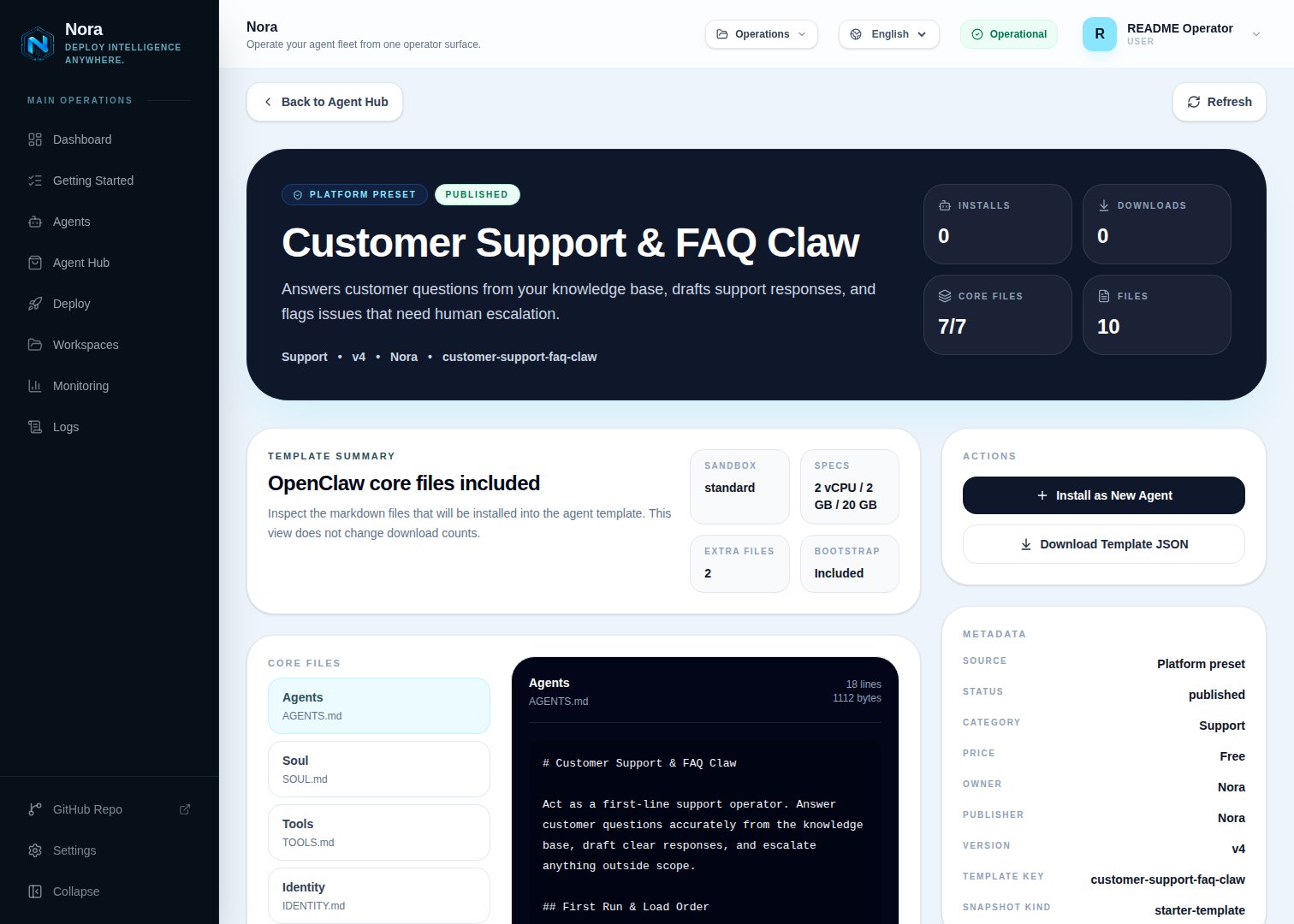
Remy is a first-line support agent built as an Agent Hub template. It classifies each inquiry, drafts an accurate reply from *your* knowledge base with a confidence level, and escalates anything the docs don't cover. **Nothing is sent without you.**
**Remy** is just the default name. On first run the agent asks what you'd like to call it — rename
it to anything, or keep "Remy."
## Before you install
* A running Nora instance with dashboard access (`editor` on the destination workspace).
* Your support knowledge: FAQ/help docs, refund & return policy, escalation routing.
## Step 1 — Install from Agent Hub
Open **Agent Hub**, find **Customer Support & FAQ Claw** (Built-in filter), and click **Install**. See [Publish and install Agent Hub templates](/guides/agent-hub).
 ## Step 2 — Connect a channel
Remy needs **one** channel to reach you with drafts and escalations (Channels tab, separate from Integrations).
Open the agent -> **Channels** tab -> **WhatsApp** -> **Link**.
Complete the pairing prompt from WhatsApp. OpenClaw WhatsApp uses QR/link pairing, not a
Phone Number ID and access-token form.
Return when Nora shows the channel linked or connected.
Prefer something else? Use Telegram, Slack, Discord, or another OpenClaw channel from the catalog — see [Configure channels](/guides/channels).
## Step 3 — (Optional) Connect a help desk
Remy works fine from inquiries you paste — no integration required. To pull tickets directly, connect one in the **Integrations** tab:
Read/draft on tickets.
Support threads from a channel.
Email-based inquiries.
## Step 4 — Run the bootstrap
Send any first message. Remy introduces itself, offers to rename, gets your channel connected, then loads your knowledge base, policies, escalation rules, and tone — read back for confirmation.
## What Remy will and won't do
* **Draft-only.** Remy never sends on its own.
* **No fabrication.** If the knowledge base is silent, Remy escalates instead of guessing.
## Troubleshooting
Remy reads `integrations/NORA_INTEGRATIONS.md`, regenerated on sync. Re-check the
**Integrations** tab, then ask Remy to re-read.
Load more knowledge-base content and tighten the out-of-scope list. Remy answers only from what
you give it.
## Step 2 — Connect a channel
Remy needs **one** channel to reach you with drafts and escalations (Channels tab, separate from Integrations).
Open the agent -> **Channels** tab -> **WhatsApp** -> **Link**.
Complete the pairing prompt from WhatsApp. OpenClaw WhatsApp uses QR/link pairing, not a
Phone Number ID and access-token form.
Return when Nora shows the channel linked or connected.
Prefer something else? Use Telegram, Slack, Discord, or another OpenClaw channel from the catalog — see [Configure channels](/guides/channels).
## Step 3 — (Optional) Connect a help desk
Remy works fine from inquiries you paste — no integration required. To pull tickets directly, connect one in the **Integrations** tab:
Read/draft on tickets.
Support threads from a channel.
Email-based inquiries.
## Step 4 — Run the bootstrap
Send any first message. Remy introduces itself, offers to rename, gets your channel connected, then loads your knowledge base, policies, escalation rules, and tone — read back for confirmation.
## What Remy will and won't do
* **Draft-only.** Remy never sends on its own.
* **No fabrication.** If the knowledge base is silent, Remy escalates instead of guessing.
## Troubleshooting
Remy reads `integrations/NORA_INTEGRATIONS.md`, regenerated on sync. Re-check the
**Integrations** tab, then ask Remy to re-read.
Load more knowledge-base content and tighten the out-of-scope list. Remy answers only from what
you give it.