> ## Documentation Index
> Fetch the complete documentation index at: https://noradocs.solomontsao.com/llms.txt
> Use this file to discover all available pages before exploring further.
# Troubleshooting
# Troubleshoot common Nora issues
> Solutions for the most common Nora installation, agent deployment, LLM provider, authentication, and dashboard loading problems you may encounter.
If something is not working as expected, this page covers the most frequent problems operators encounter when self-hosting Nora and explains exactly what to check or change. Work through the category that matches your situation, and use the log commands below to gather more context when the cause is unclear.
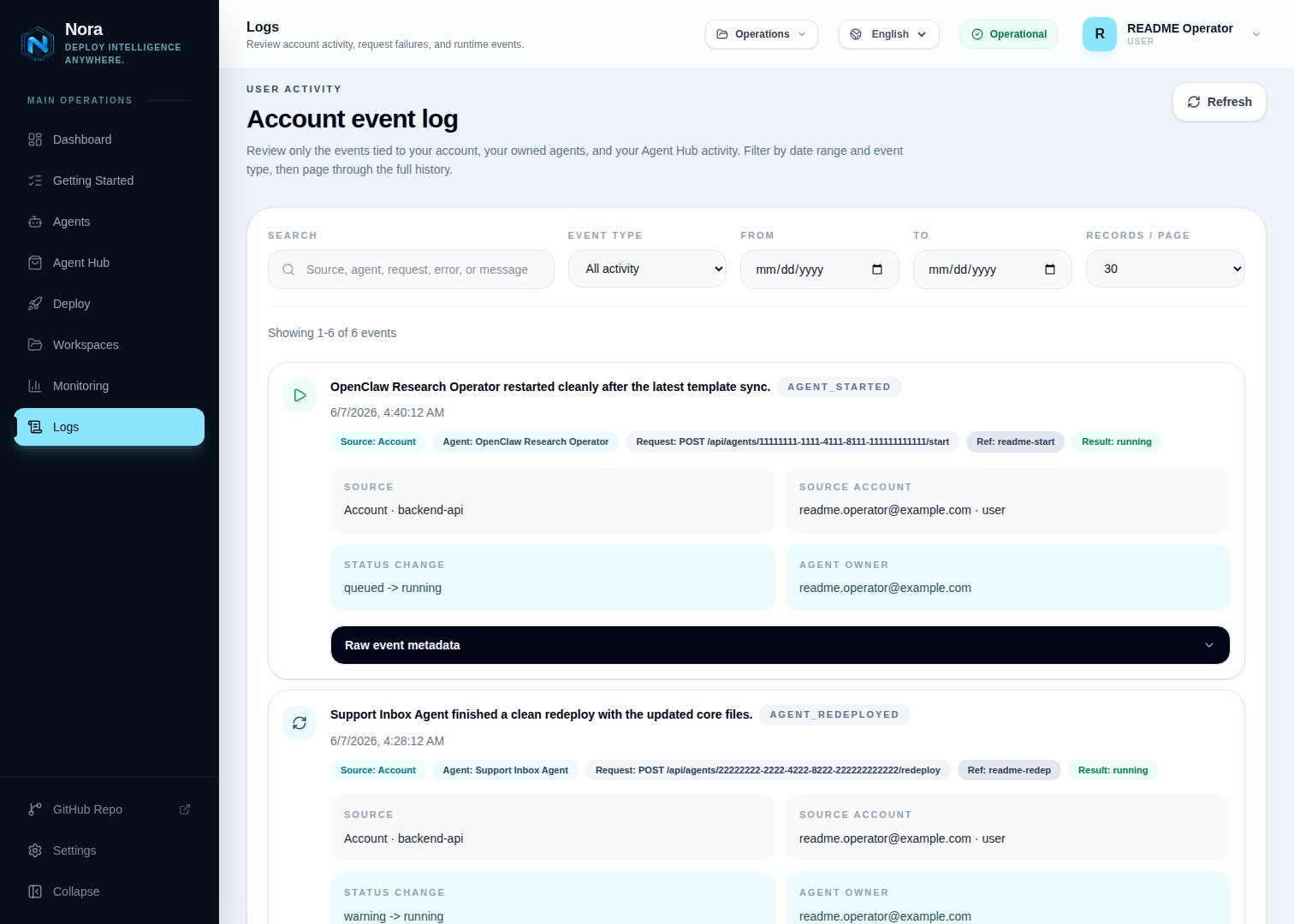
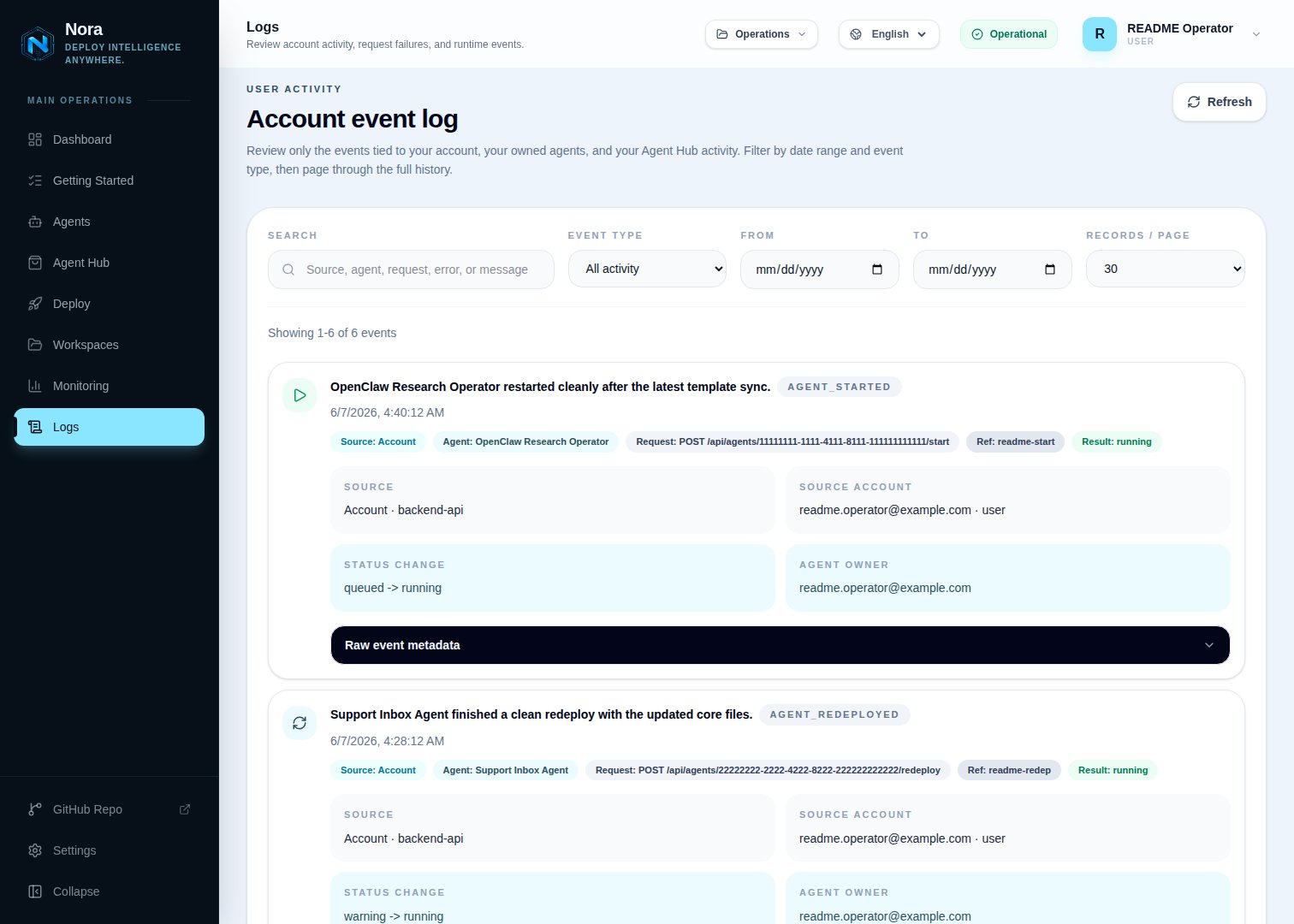 When digging into a specific failure, scope the log view to errors only — the same surface filters by event type and severity:
 **Docker not found**
The Nora setup script can install Docker, Docker Compose, and Git for you if they are missing. Run the installer and follow the prompts:
```bash theme={null} theme={null}
curl -fsSL https://raw.githubusercontent.com/solomon2773/nora/master/setup.sh | bash
```
If you prefer to install Docker manually, follow the [official Docker installation guide](https://docs.docker.com/engine/install/) for your operating system, then re-run setup.
***
**Port 8080 or 4100 already in use**
In local mode, the installer checks the browser port and backend API port before startup. If `8080` is busy, accept the suggested web port such as `8081`. If `127.0.0.1:4100` is busy, accept the suggested backend API port such as `4101`.
If you edit `.env` manually, use these variables:
```bash theme={null} theme={null}
NGINX_HTTP_PORT=9090
NEXTAUTH_URL=http://localhost:9090
CORS_ORIGINS=http://localhost:9090
BACKEND_API_PORT=4101
```
Restart the stack after saving the change:
```bash theme={null} theme={null}
docker compose down && docker compose up -d
```
***
**First signup fails with `password authentication failed for user "nora"`**
This means the backend cannot authenticate to Postgres. The usual cause is a local reconfigure where the Docker Postgres volume was preserved but `.env` now contains a different `DB_PASSWORD` than the one used when the volume was initialized.
If you want a clean local install, remove the compose volumes and rerun setup:
```bash theme={null} theme={null}
cd ~/nora
docker compose down -v --remove-orphans
curl -fsSL https://raw.githubusercontent.com/solomon2773/nora/master/setup.sh | bash
```
If you want to keep existing local data, restore `DB_PASSWORD` from the newest `.env.backup-*` file:
```bash theme={null} theme={null}
cd ~/nora
python3 - <<'PY'
from pathlib import Path
backups = sorted(Path(".").glob(".env.backup-*"), key=lambda p: p.stat().st_mtime, reverse=True)
if not backups:
raise SystemExit("No .env.backup-* file found")
old = None
for line in backups[0].read_text().splitlines():
if line.startswith("DB_PASSWORD="):
old = line.split("=", 1)[1]
break
if not old:
raise SystemExit(f"No DB_PASSWORD found in {backups[0]}")
env = Path(".env")
lines = env.read_text().splitlines()
for i, line in enumerate(lines):
if line.startswith("DB_PASSWORD="):
lines[i] = "DB_PASSWORD=" + old
break
else:
lines.append("DB_PASSWORD=" + old)
env.write_text("\n".join(lines) + "\n")
print(f"Restored DB_PASSWORD from {backups[0]}")
PY
docker compose up -d --build
```
***
**Stack fails to start**
Check the backend API logs for the error that caused the failure:
```bash theme={null} theme={null}
docker compose logs -f backend-api
```
Common causes include a missing or malformed `JWT_SECRET`, a missing `ENCRYPTION_KEY`, or a database connection failure. Verify that your `.env` file contains valid 64-character hex values for both required secrets:
```bash theme={null} theme={null}
openssl rand -hex 32
```
Run that command twice — once for `JWT_SECRET` and once for `ENCRYPTION_KEY`.
**Agent stuck in "queued" state**
A queued agent that never transitions to running usually means the provisioner cannot reach the Docker socket. Check the backend logs for provisioning errors:
```bash theme={null} theme={null}
docker compose logs -f backend-api
```
Verify that the Docker socket is mounted correctly in your `docker-compose.yml` and that the user running the backend has permission to access it.
***
**Agent in "error" state**
If an agent lands in the error state after deployment, use the **Redeploy** button on the agent detail page to attempt a fresh deployment. If the error persists, inspect the backend logs to identify what failed during provisioning:
```bash theme={null} theme={null}
docker compose logs -f backend-api
```
***
**Kubernetes says `deployments.apps "" not found`**
This means Nora has an agent record but the Kubernetes Deployment no longer exists in the registered cluster/namespace. It can happen after manual `kubectl delete`, a failed stale start, or a registry namespace mismatch. Use **Redeploy** on the agent detail page to recreate the Deployment, Service, and bootstrap ConfigMap from the saved Nora agent settings.
If redeploy also fails, open **Admin -> Kubernetes**, run **Test** on the cluster row, and confirm the OpenClaw and Hermes namespaces match where you expect agents to run.
***
**NemoClaw sandbox fails to start**
NemoClaw is disabled by default. To enable it, add `nemoclaw` to the enabled sandbox profiles and provide a valid NVIDIA API key either as a user provider key in **Settings** or as a platform fallback in `.env`:
```bash theme={null} theme={null}
ENABLED_SANDBOX_PROFILES=standard,nemoclaw
NVIDIA_API_KEY=your-nvidia-api-key
```
Restart the stack after making these changes. If NemoClaw still fails, confirm that your NVIDIA API key is active and has access to the NVIDIA NIM endpoints Nora uses.
For Kubernetes, also confirm `NEMOCLAW_SANDBOX_IMAGE` points to an image your nodes can pull. The default is Nora's GHCR image; offline clusters must preload `nora-nemoclaw-agent:local` and override the env var.
Do not paste your NVIDIA API key into GitHub Issues or Discussions. Share only masked or redacted values when asking for help.
**Host says Connected, but deployment fails**
The Remote Hosts **Test** action runs only from `backend-api`. It applies a 10-second overall
SSH/Docker probe deadline and runs `docker version` as the registered user. It does not test
`worker-provisioner`, image pulls, host capacity, published-port routing, runtime readiness,
lifecycle actions, or backups. The successful result has no expiry or background refresh.
Re-run **Test**, then inspect the worker and API logs while deploying a disposable agent:
```bash theme={null} theme={null}
docker compose logs -f backend-api worker-provisioner worker-backup
```
Verify the worker can reach the SSH address, the remote host has registry/provider egress and
enough capacity, and the configured gateway address plus allocated `19000-19999` ports are
reachable from Nora.
***
**Host is missing from the Deploy page**
Confirm the host is enabled, configured, and its latest manual test succeeded. A personal host
requires ownership or an `editor+` workspace grant. A platform host permits platform admins,
all accounts when enabled, directly granted users, matching user groups, and `editor+` members of
a granted workspace. Workspace viewers see the host but cannot deploy. The current dashboard
injects Remote Docker targets into OpenClaw's picker only; Hermes Remote Docker uses the experimental
[advanced API path](/configuration/provisioner-backends/remote-docker#hermes-advanced-api-path).
***
**Agent or container still exists after host access is revoked**
This is expected. Unsharing or removing a platform access grant changes authorization only. It
does not stop, move, delete, or rebalance existing containers. After the agent owner loses their
final qualifying path, Nora
denies active operations—including new/queued deployment work, start/restart, live runtime
access, logs, terminal, backup capture, non-stop scheduled actions, and ClawHub—and closes
rechecked active streams. Live status and telemetry collection stops. The stored agent record,
lifecycle status, and previously collected telemetry history can remain visible but are no longer
live. **Stop**, whether manual or scheduled, and **Delete** remain available for cleanup only
while the registration still retains the previously trusted SSH host-key pin.
Follow the documented [drain procedure](/configuration/provisioner-backends/remote-docker#unshare-or-retire-a-host-safely):
back up or export the agent, create and validate a replacement elsewhere, delete the old Remote
Docker agent, and then unshare. If unshare already happened, use the retained **Stop** or
**Delete** action. If the pin was reset or lost, Nora fails closed and keeps the agent record;
verify the host out of band, re-run **Test** where possible, or remove the runtime manually. For
an urgent incident, also close direct network access to the published ports and rotate the SSH
credential.
***
**Remote host cannot be deleted**
Nora returns `409` while any non-deleted agent still references the host's `remote:` target.
Migrate or delete those agents first. Unsharing a workspace does not remove the references.
After deletion succeeds, Nora permanently reserves the personal or platform host id. This
prevents a different machine and credential from later inheriting the old `remote:` target.
If you need to register a replacement, choose a new label/id.
See [Remote Docker setup and limitations](/configuration/provisioner-backends/remote-docker) for
host compatibility, test scope, firewall rules, capacity limits, and sharing semantics.
***
**Remote host key changed after an intentional rebuild or rotation**
First verify the replacement SSH host key through the machine console or another trusted
out-of-band channel. Then open the host's owning surface—**App -> Remote Hosts** for a personal
host or **Admin -> Remote Hosts** for a platform host—choose **Reset SSH pin**, type the exact host
label or id, and confirm. Nora clears the pin and previous Test state without changing the stored
credentials. Run **Test** immediately; deployments and active use remain blocked until the new
key is captured and pinned. If you cannot explain and independently verify the key change, do not
reset it.
***
**A personal host is read-only in Admin**
This is intentional. Platform admins manage platform hosts under **Admin -> Remote Hosts**. A
personal host remains managed by its user owner under **App -> Remote Hosts**; its Admin fleet row
exposes only masked inventory metadata. Do not copy its credentials into a new platform record to
work around the ownership boundary.
**API keys are not reaching the agent**
Provider keys saved in Settings are not automatically pushed to running agents. After adding or updating a key, open the agent detail page and click the **Sync** button to inject the current keys into the running runtime.
If you just deployed a new agent, always sync your provider keys before testing chat to avoid "no provider configured" errors.
***
**Invalid API key errors from the agent**
If the agent reports that a key is invalid or unauthorized, verify the key directly with the provider before troubleshooting Nora. Keys are stored using AES-256-GCM encryption and are never returned in API responses, so the value Nora holds is the exact value you entered. If the key itself is correct, confirm that you selected the right provider in Settings.
**Cannot log in**
The most common login failure in self-hosted deployments is a mismatch between `NEXTAUTH_URL` and the URL you are actually using to access Nora. The value in your `.env` file must exactly match the origin your browser is loading:
```bash theme={null} theme={null}
# Local mode
NEXTAUTH_URL=http://localhost:8080
# Public domain mode
NEXTAUTH_URL=https://app.example.com
```
After correcting the value, restart the stack:
```bash theme={null} theme={null}
docker compose down && docker compose up -d
```
***
**OAuth login button is missing or disabled**
OAuth login (Google, GitHub) is disabled by default. To enable it, set the following variable and provide your OAuth client credentials in `.env`:
```bash theme={null} theme={null}
OAUTH_LOGIN_ENABLED=true
GOOGLE_CLIENT_ID=...
GOOGLE_CLIENT_SECRET=...
GITHUB_CLIENT_ID=...
GITHUB_CLIENT_SECRET=...
```
You only need to set credentials for the OAuth providers you want to enable. Leave the others blank.
If the dashboard returns a CORS error or a blank page, your `CORS_ORIGINS` value likely does not include the origin your browser is using. Add your origin to the variable as a comma-separated value:
```bash theme={null} theme={null}
# Single origin
CORS_ORIGINS=http://localhost:8080
# Multiple origins
CORS_ORIGINS=https://app.example.com,http://localhost:8080
```
Restart the stack after saving the change:
```bash theme={null} theme={null}
docker compose down && docker compose up -d
```
To confirm the backend is healthy, check its logs directly:
```bash theme={null} theme={null}
docker compose logs -f backend-api
```
## Getting more help
If you cannot resolve your issue with the steps above, the following resources are available:
* **Reproducible bugs** — open an issue at [github.com/solomon2773/nora/issues](https://github.com/solomon2773/nora/issues)
* **Setup and rollout questions** — start a discussion at [github.com/solomon2773/nora/discussions](https://github.com/solomon2773/nora/discussions)
* **Enterprise and managed paths** — see [nora.solomontsao.com/pricing](https://nora.solomontsao.com/pricing)
When asking for help, include your deployment mode (self-hosted, rollout-help, or hosted), your OS, which setup script you used, and any relevant log output. Do not include secrets, API keys, or `.env` file contents.
**Docker not found**
The Nora setup script can install Docker, Docker Compose, and Git for you if they are missing. Run the installer and follow the prompts:
```bash theme={null} theme={null}
curl -fsSL https://raw.githubusercontent.com/solomon2773/nora/master/setup.sh | bash
```
If you prefer to install Docker manually, follow the [official Docker installation guide](https://docs.docker.com/engine/install/) for your operating system, then re-run setup.
***
**Port 8080 or 4100 already in use**
In local mode, the installer checks the browser port and backend API port before startup. If `8080` is busy, accept the suggested web port such as `8081`. If `127.0.0.1:4100` is busy, accept the suggested backend API port such as `4101`.
If you edit `.env` manually, use these variables:
```bash theme={null} theme={null}
NGINX_HTTP_PORT=9090
NEXTAUTH_URL=http://localhost:9090
CORS_ORIGINS=http://localhost:9090
BACKEND_API_PORT=4101
```
Restart the stack after saving the change:
```bash theme={null} theme={null}
docker compose down && docker compose up -d
```
***
**First signup fails with `password authentication failed for user "nora"`**
This means the backend cannot authenticate to Postgres. The usual cause is a local reconfigure where the Docker Postgres volume was preserved but `.env` now contains a different `DB_PASSWORD` than the one used when the volume was initialized.
If you want a clean local install, remove the compose volumes and rerun setup:
```bash theme={null} theme={null}
cd ~/nora
docker compose down -v --remove-orphans
curl -fsSL https://raw.githubusercontent.com/solomon2773/nora/master/setup.sh | bash
```
If you want to keep existing local data, restore `DB_PASSWORD` from the newest `.env.backup-*` file:
```bash theme={null} theme={null}
cd ~/nora
python3 - <<'PY'
from pathlib import Path
backups = sorted(Path(".").glob(".env.backup-*"), key=lambda p: p.stat().st_mtime, reverse=True)
if not backups:
raise SystemExit("No .env.backup-* file found")
old = None
for line in backups[0].read_text().splitlines():
if line.startswith("DB_PASSWORD="):
old = line.split("=", 1)[1]
break
if not old:
raise SystemExit(f"No DB_PASSWORD found in {backups[0]}")
env = Path(".env")
lines = env.read_text().splitlines()
for i, line in enumerate(lines):
if line.startswith("DB_PASSWORD="):
lines[i] = "DB_PASSWORD=" + old
break
else:
lines.append("DB_PASSWORD=" + old)
env.write_text("\n".join(lines) + "\n")
print(f"Restored DB_PASSWORD from {backups[0]}")
PY
docker compose up -d --build
```
***
**Stack fails to start**
Check the backend API logs for the error that caused the failure:
```bash theme={null} theme={null}
docker compose logs -f backend-api
```
Common causes include a missing or malformed `JWT_SECRET`, a missing `ENCRYPTION_KEY`, or a database connection failure. Verify that your `.env` file contains valid 64-character hex values for both required secrets:
```bash theme={null} theme={null}
openssl rand -hex 32
```
Run that command twice — once for `JWT_SECRET` and once for `ENCRYPTION_KEY`.
**Agent stuck in "queued" state**
A queued agent that never transitions to running usually means the provisioner cannot reach the Docker socket. Check the backend logs for provisioning errors:
```bash theme={null} theme={null}
docker compose logs -f backend-api
```
Verify that the Docker socket is mounted correctly in your `docker-compose.yml` and that the user running the backend has permission to access it.
***
**Agent in "error" state**
If an agent lands in the error state after deployment, use the **Redeploy** button on the agent detail page to attempt a fresh deployment. If the error persists, inspect the backend logs to identify what failed during provisioning:
```bash theme={null} theme={null}
docker compose logs -f backend-api
```
***
**Kubernetes says `deployments.apps "" not found`**
This means Nora has an agent record but the Kubernetes Deployment no longer exists in the registered cluster/namespace. It can happen after manual `kubectl delete`, a failed stale start, or a registry namespace mismatch. Use **Redeploy** on the agent detail page to recreate the Deployment, Service, and bootstrap ConfigMap from the saved Nora agent settings.
If redeploy also fails, open **Admin -> Kubernetes**, run **Test** on the cluster row, and confirm the OpenClaw and Hermes namespaces match where you expect agents to run.
***
**NemoClaw sandbox fails to start**
NemoClaw is disabled by default. To enable it, add `nemoclaw` to the enabled sandbox profiles and provide a valid NVIDIA API key either as a user provider key in **Settings** or as a platform fallback in `.env`:
```bash theme={null} theme={null}
ENABLED_SANDBOX_PROFILES=standard,nemoclaw
NVIDIA_API_KEY=your-nvidia-api-key
```
Restart the stack after making these changes. If NemoClaw still fails, confirm that your NVIDIA API key is active and has access to the NVIDIA NIM endpoints Nora uses.
For Kubernetes, also confirm `NEMOCLAW_SANDBOX_IMAGE` points to an image your nodes can pull. The default is Nora's GHCR image; offline clusters must preload `nora-nemoclaw-agent:local` and override the env var.
Do not paste your NVIDIA API key into GitHub Issues or Discussions. Share only masked or redacted values when asking for help.
**Host says Connected, but deployment fails**
The Remote Hosts **Test** action runs only from `backend-api`. It applies a 10-second overall
SSH/Docker probe deadline and runs `docker version` as the registered user. It does not test
`worker-provisioner`, image pulls, host capacity, published-port routing, runtime readiness,
lifecycle actions, or backups. The successful result has no expiry or background refresh.
Re-run **Test**, then inspect the worker and API logs while deploying a disposable agent:
```bash theme={null} theme={null}
docker compose logs -f backend-api worker-provisioner worker-backup
```
Verify the worker can reach the SSH address, the remote host has registry/provider egress and
enough capacity, and the configured gateway address plus allocated `19000-19999` ports are
reachable from Nora.
***
**Host is missing from the Deploy page**
Confirm the host is enabled, configured, and its latest manual test succeeded. A personal host
requires ownership or an `editor+` workspace grant. A platform host permits platform admins,
all accounts when enabled, directly granted users, matching user groups, and `editor+` members of
a granted workspace. Workspace viewers see the host but cannot deploy. The current dashboard
injects Remote Docker targets into OpenClaw's picker only; Hermes Remote Docker uses the experimental
[advanced API path](/configuration/provisioner-backends/remote-docker#hermes-advanced-api-path).
***
**Agent or container still exists after host access is revoked**
This is expected. Unsharing or removing a platform access grant changes authorization only. It
does not stop, move, delete, or rebalance existing containers. After the agent owner loses their
final qualifying path, Nora
denies active operations—including new/queued deployment work, start/restart, live runtime
access, logs, terminal, backup capture, non-stop scheduled actions, and ClawHub—and closes
rechecked active streams. Live status and telemetry collection stops. The stored agent record,
lifecycle status, and previously collected telemetry history can remain visible but are no longer
live. **Stop**, whether manual or scheduled, and **Delete** remain available for cleanup only
while the registration still retains the previously trusted SSH host-key pin.
Follow the documented [drain procedure](/configuration/provisioner-backends/remote-docker#unshare-or-retire-a-host-safely):
back up or export the agent, create and validate a replacement elsewhere, delete the old Remote
Docker agent, and then unshare. If unshare already happened, use the retained **Stop** or
**Delete** action. If the pin was reset or lost, Nora fails closed and keeps the agent record;
verify the host out of band, re-run **Test** where possible, or remove the runtime manually. For
an urgent incident, also close direct network access to the published ports and rotate the SSH
credential.
***
**Remote host cannot be deleted**
Nora returns `409` while any non-deleted agent still references the host's `remote:` target.
Migrate or delete those agents first. Unsharing a workspace does not remove the references.
After deletion succeeds, Nora permanently reserves the personal or platform host id. This
prevents a different machine and credential from later inheriting the old `remote:` target.
If you need to register a replacement, choose a new label/id.
See [Remote Docker setup and limitations](/configuration/provisioner-backends/remote-docker) for
host compatibility, test scope, firewall rules, capacity limits, and sharing semantics.
***
**Remote host key changed after an intentional rebuild or rotation**
First verify the replacement SSH host key through the machine console or another trusted
out-of-band channel. Then open the host's owning surface—**App -> Remote Hosts** for a personal
host or **Admin -> Remote Hosts** for a platform host—choose **Reset SSH pin**, type the exact host
label or id, and confirm. Nora clears the pin and previous Test state without changing the stored
credentials. Run **Test** immediately; deployments and active use remain blocked until the new
key is captured and pinned. If you cannot explain and independently verify the key change, do not
reset it.
***
**A personal host is read-only in Admin**
This is intentional. Platform admins manage platform hosts under **Admin -> Remote Hosts**. A
personal host remains managed by its user owner under **App -> Remote Hosts**; its Admin fleet row
exposes only masked inventory metadata. Do not copy its credentials into a new platform record to
work around the ownership boundary.
**API keys are not reaching the agent**
Provider keys saved in Settings are not automatically pushed to running agents. After adding or updating a key, open the agent detail page and click the **Sync** button to inject the current keys into the running runtime.
If you just deployed a new agent, always sync your provider keys before testing chat to avoid "no provider configured" errors.
***
**Invalid API key errors from the agent**
If the agent reports that a key is invalid or unauthorized, verify the key directly with the provider before troubleshooting Nora. Keys are stored using AES-256-GCM encryption and are never returned in API responses, so the value Nora holds is the exact value you entered. If the key itself is correct, confirm that you selected the right provider in Settings.
**Cannot log in**
The most common login failure in self-hosted deployments is a mismatch between `NEXTAUTH_URL` and the URL you are actually using to access Nora. The value in your `.env` file must exactly match the origin your browser is loading:
```bash theme={null} theme={null}
# Local mode
NEXTAUTH_URL=http://localhost:8080
# Public domain mode
NEXTAUTH_URL=https://app.example.com
```
After correcting the value, restart the stack:
```bash theme={null} theme={null}
docker compose down && docker compose up -d
```
***
**OAuth login button is missing or disabled**
OAuth login (Google, GitHub) is disabled by default. To enable it, set the following variable and provide your OAuth client credentials in `.env`:
```bash theme={null} theme={null}
OAUTH_LOGIN_ENABLED=true
GOOGLE_CLIENT_ID=...
GOOGLE_CLIENT_SECRET=...
GITHUB_CLIENT_ID=...
GITHUB_CLIENT_SECRET=...
```
You only need to set credentials for the OAuth providers you want to enable. Leave the others blank.
If the dashboard returns a CORS error or a blank page, your `CORS_ORIGINS` value likely does not include the origin your browser is using. Add your origin to the variable as a comma-separated value:
```bash theme={null} theme={null}
# Single origin
CORS_ORIGINS=http://localhost:8080
# Multiple origins
CORS_ORIGINS=https://app.example.com,http://localhost:8080
```
Restart the stack after saving the change:
```bash theme={null} theme={null}
docker compose down && docker compose up -d
```
To confirm the backend is healthy, check its logs directly:
```bash theme={null} theme={null}
docker compose logs -f backend-api
```
## Getting more help
If you cannot resolve your issue with the steps above, the following resources are available:
* **Reproducible bugs** — open an issue at [github.com/solomon2773/nora/issues](https://github.com/solomon2773/nora/issues)
* **Setup and rollout questions** — start a discussion at [github.com/solomon2773/nora/discussions](https://github.com/solomon2773/nora/discussions)
* **Enterprise and managed paths** — see [nora.solomontsao.com/pricing](https://nora.solomontsao.com/pricing)
When asking for help, include your deployment mode (self-hosted, rollout-help, or hosted), your OS, which setup script you used, and any relevant log output. Do not include secrets, API keys, or `.env` file contents.