

Organize agents with workspaces
Learn how Nora workspaces let you group and organize agents by project, team, or environment, and how to create, populate, and delete them.A workspace in Nora is a named group that lets you organize and share agents with a team. Instead of managing a flat list of agents, you can create workspaces to reflect the structure of your projects, teams, or deployment environments, invite teammates, and add the relevant agents to each one. Workspaces do not move agents between runtimes, but they do grant team access to assigned agents according to each member’s workspace role. A workspace can also carry a separate grant to an experimental Remote Docker host.
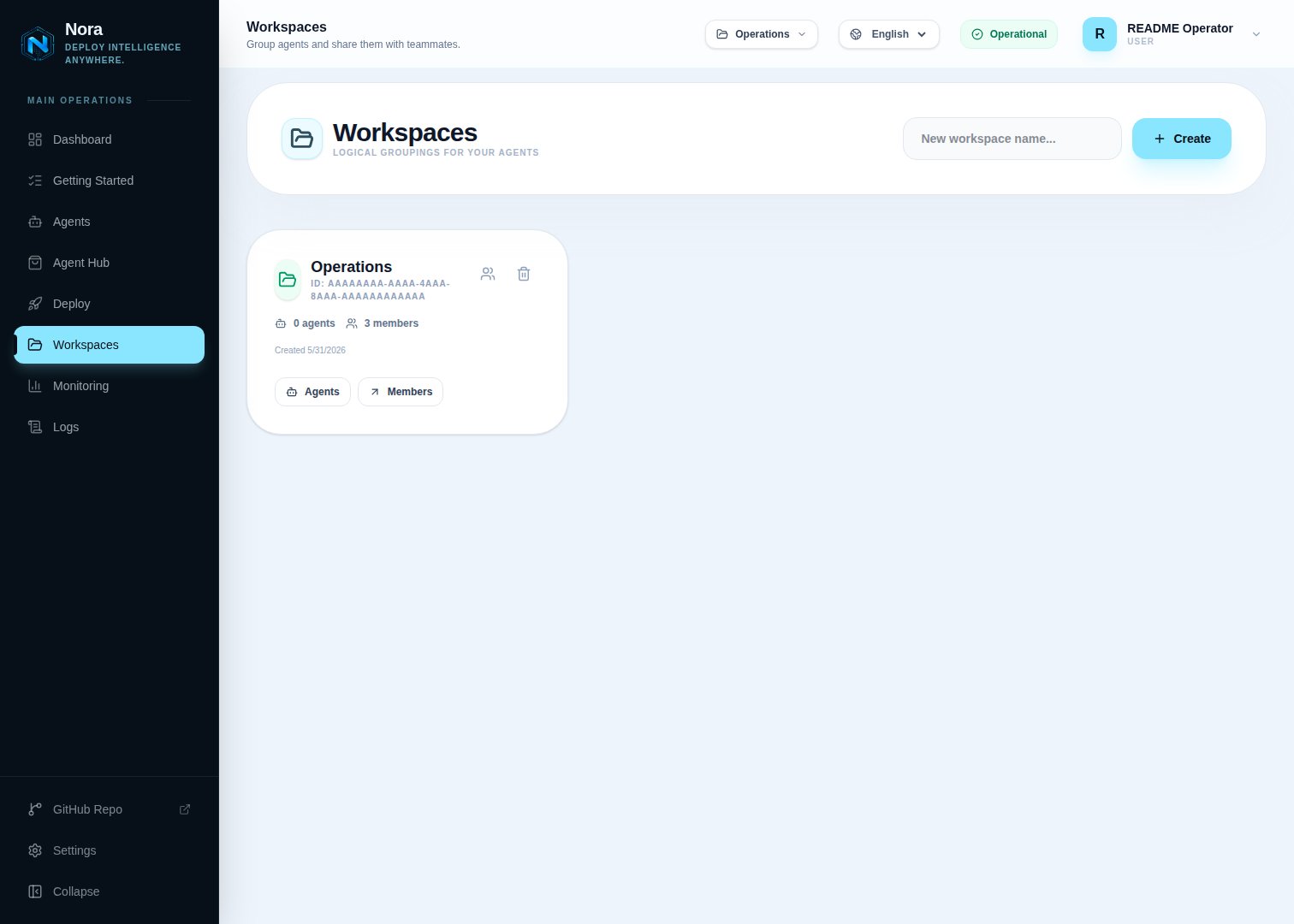
Creating a workspace
You can create a workspace from the dashboard at any time. Workspace names must be between 1 and 100 characters.1
Open the Workspaces section
Navigate to the Workspaces area in the Nora dashboard sidebar.
2
Create a new workspace
Click New workspace, enter a descriptive name, and confirm. The workspace appears immediately
in your list.
3
Add agents to the workspace
Open the workspace and add agents from your existing agent list. You can add the same agent to multiple workspaces.
Adding agents to a workspace
Once a workspace exists, users witheditor, admin, or owner access can add agents they directly own to it. An agent can belong to more than one workspace, which is useful when a single agent is relevant to multiple projects or teams.
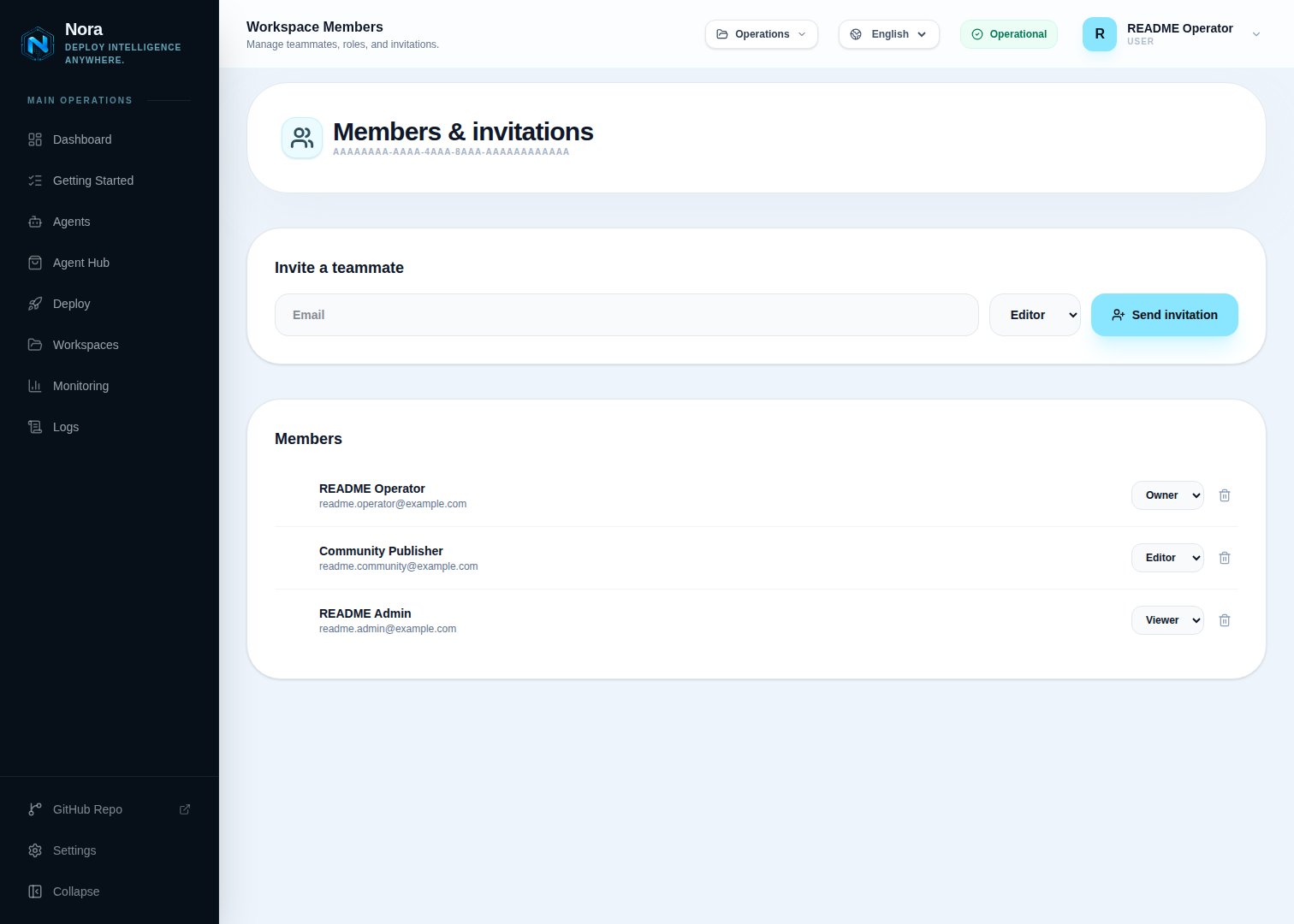
You can only add agents that you own. Once assigned, workspace members can see and operate the
shared agent according to their workspace role. Only the direct agent owner can delete the
underlying runtime and Nora record.
Sharing with teammates
Workspace roles apply to assigned agents:
Removing an agent from a workspace only removes the assignment. The agent continues running and remains available to its direct owner and any other workspace where it is assigned.
Sharing a Remote Docker host
Remote Docker has two ownership models. A personal host is created and managed by one user under App -> Remote Hosts. It starts private, and its owner can grant it to any workspace where they are a member. A platform host is created under Admin -> Remote Hosts, is managed by any platform admin, and starts restricted until an admin grants all accounts, direct users, user groups, or workspaces. In both cases, a workspace grant shares compute placement; it is separate from assigning agents to the workspace.
Workspace members never receive connection credentials. The personal owner manages a personal
host; any platform admin manages a platform host, including its masked credentials, Test state, SSH
pin, and access grants. Platform hosts survive deletion of the admin account that originally created
them.
Platform-host grants are additive. A platform admin, the all-accounts setting, a direct-user grant,
or a matching user-group grant permits deployment. A workspace grant follows the role table above.
When several paths match, the strongest qualifying path wins: for example, a direct-user grant still
permits deployment when that user is only a viewer in a granted workspace. Removing one path revokes
access only when no other current path qualifies.
When a workspace member deploys to a shared host:
- the new agent belongs to the deploying user, not the host owner;
- the host owner does not automatically gain access to that agent; and
- the agent is not automatically added to the workspace that supplied host access.
Remove a host grant safely
Unsharing a personal host or removing a platform-host workspace grant removes only that access path. It does not stop, migrate, delete, or rebalance existing containers or remove agent assignments. If the agent owner has no other qualifying path, Nora fails closed: it blocks new and queued deployment work, start/restart, live runtime and gateway access, logs, terminal, environment updates, backup capture, non-stop scheduled actions, and ClawHub operations. Live status and telemetry collection stops, and active Nora gateway, log, terminal, and metrics streams are rechecked and closed. The stored agent record, lifecycle status, and previously collected telemetry history remain visible to users who still have agent access, but they are no longer live. Stop—manual or scheduled—and Delete remain available so the direct agent owner or another authorized actor can clean up the residual workload while the trusted SSH pin remains available. The agent record and remote container remain until that cleanup occurs. Unshare does not move the agent elsewhere or stop a client that reaches an exposed runtime port directly outside Nora. Before unsharing, coordinate with workspace members to inventory agents using the host’sremote:<id> target, freeze new placement, back up or export affected agents, create and validate
replacements elsewhere, and delete the old Remote Docker agents. Nora does not currently provide the
host owner with a host-centric workload list or automatic access to member-owned agents. Then remove
the share. If the host itself is being retired, Nora will reject host deletion while any non-deleted
agent still references it.
For urgent security containment, unshare, use the retained Stop or Delete cleanup path, close
direct network access to the published ports, and rotate the SSH credential. See
Remote Docker: Unshare or retire a host safely.
Workspace use cases
Workspaces are flexible — there is no single right way to structure them. Here are three common patterns:Group by project
Group by project
Create one workspace per project or product area. Add all agents that belong to that project — for example, a research agent, a summarization agent, and a code-review agent — to the same workspace so your team can find and manage them together.
Group by team
Group by team
Create a workspace for each team in your organization. Each team’s members can see and manage only
the agents relevant to their work, reducing noise from unrelated deployments.
Group by environment
Group by environment
Create workspaces for
development, staging, and production. This makes it easy to see which agents are live in each environment and avoids accidental changes to production agents.Deleting a workspace
Deleting a workspace removes the workspace, its agent memberships, and its personal or platform Remote Docker grants. It does not delete agents, host registrations, or remote containers. Drain any workloads that rely on the workspace as their final host-access path before deleting it.Related concepts
Agents
Learn about agent lifecycle, statuses, and resources.
LLM providers
Manage provider API keys and sync them to agents.
Remote Docker
Register, test, share, validate, and safely retire an experimental remote host.