

Configure agent channels
Link or configure the communication channel an agent uses to reach you.Channels are the communication endpoints attached to an agent. For current OpenClaw agents, Nora manages channels through the running OpenClaw gateway: the Channels tab lists the OpenClaw catalog, opens setup forms for supported channel configs, and starts QR or CLI pairing flows where the runtime supports them. Legacy non-OpenClaw agents use Nora’s database-backed channel adapters instead. That older flow still supports create, test-message, message-history, and delete actions.
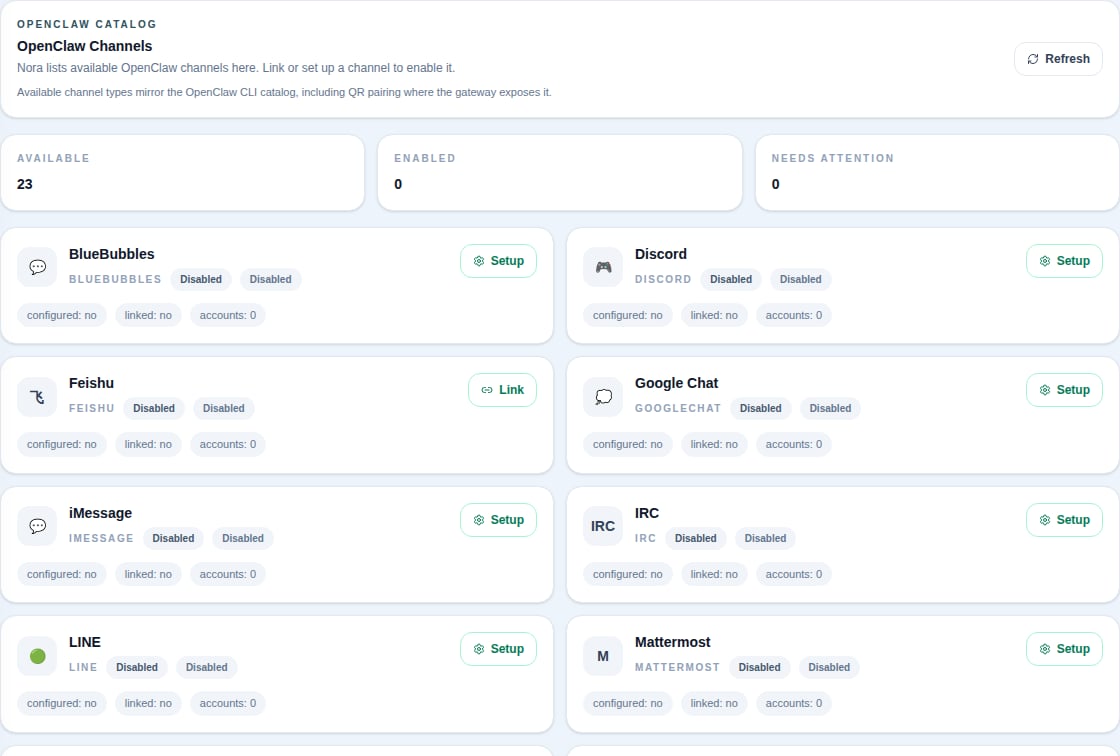
OpenClaw channel catalog
OpenClaw agents show catalog rows even before they are configured. A row becomes configured after you save setup fields or complete the pairing flow.OpenClaw WhatsApp uses the Link / QR pairing flow in Nora. Do not paste a Meta Phone Number ID
or WhatsApp Cloud API access token into the OpenClaw channel setup. Those fields belonged to the
older legacy WhatsApp adapter.
Connect an OpenClaw channel
1
Open the agent's OpenClaw tab
Navigate to the agent detail page, open OpenClaw, then select Channels.
2
Pick one channel
Choose the catalog row you want to use. You only need one channel for agent-to-operator messages.
3
Use Link for pairing channels
For WhatsApp, click Link and scan or complete the pairing prompt. Feishu/Lark and Zalo
Personal Account use OpenClaw’s CLI pairing flow when available.
4
Use Setup for configured channels
For Telegram, Slack, Discord, LINE, Matrix, and similar channels, click Setup, fill the fields Nora shows, then save. Nora writes the config through the OpenClaw config API and asks the runtime to reload.
What actions are available?
If an OpenClaw channel setup fails, start by checking that the agent is running or warning and that the OpenClaw gateway is reachable. Setup and link actions are runtime operations, so stopped agents cannot service them.
Legacy channel adapters
Legacy agents still use Nora’s built-in adapters. Sensitive configuration values such as tokens, webhook URLs, and passwords are encrypted with AES-256-GCM before storage and shown as[REDACTED] in API responses.
Legacy channels can be tested from the Channels tab. Nora verifies the configuration and sends a test message through the adapter. OpenClaw-managed channels do not use this legacy Test action.