

Monitor agent health and performance in Nora
View platform metrics, agent-level CPU and memory stats, activity events, cost tracking, and historical performance data for your agents in Nora.Nora collects runtime metrics, activity events, and cost data for every agent you deploy. You can view a live snapshot of an agent’s resource usage, pull historical stats over configurable time windows, browse the activity event log, and check accumulated cost data — all from the dashboard or the monitoring API. This page explains what data is collected, how to read it, and the available time ranges for historical queries.
Platform metrics overview
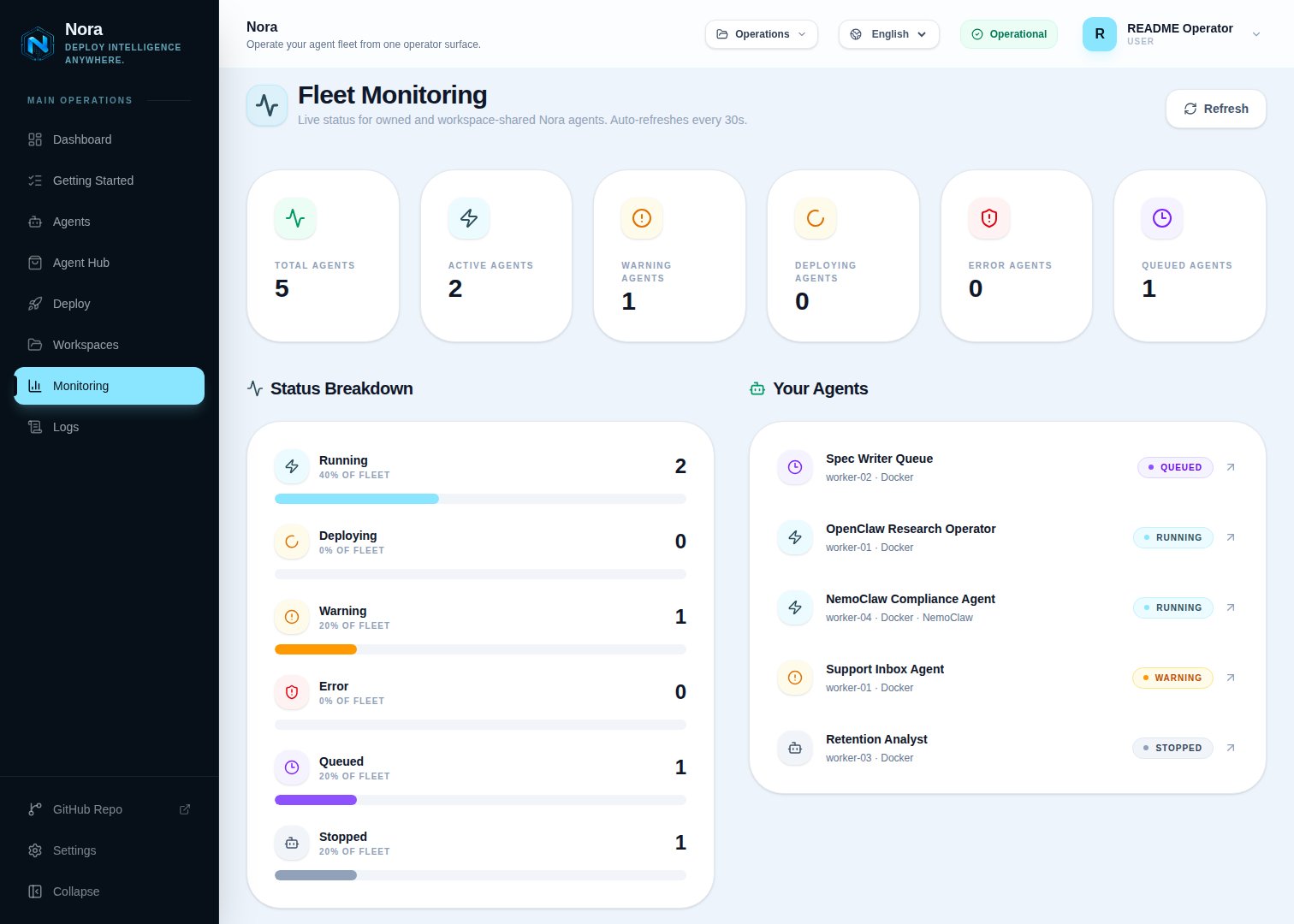
Fleet needs-attention
The operator dashboard (/app) shows a Needs attention strip at the top that lists the agents you should look at right now and why. It is derived server-side at read time from existing state — no extra configuration — and stays hidden when the fleet is healthy, so it never adds noise to an all-clear deployment.
It surfaces these reasons:
Errors sort before warnings. The strip covers the agents you can access — directly owned plus workspace-shared. It is backed by the fleet needs-attention roll-up API (
GET /monitoring/fleet-status, requires the monitoring:read scope), and the nora doctor Fleet-health check is built on the same roll-up.
Agent-level metrics
Each agent exposes a live stats snapshot and a historical stats series. Stats are collected every 5 seconds and retained for 7 days.Live stats
To fetch the current resource usage for a running agent:If the agent is stopped or has no container, the endpoint still returns
200 with current.running: false and an error field (e.g. “No container assigned”) rather than live metrics.Historical stats
To fetch a time series of stats for an agent, use the history endpoint with a time range:
You can also query a custom window using ISO timestamps:
recorded_at timestamp. Results are ordered by recorded_at ascending and capped at 5000 rows for short windows (≤ 1 hour, returned un-aggregated) and 4000 rows for larger windows, which are time-bucketed/aggregated server-side.
Historical stat fields:
Activity events
The events log records actions taken on agents and by agents — deployments, redeployments, errors, and other lifecycle events.created_at descending (newest first).
Agent metrics summary
For a summarized view of an agent’s metrics over the default 24-hour window:Agent cost tracking
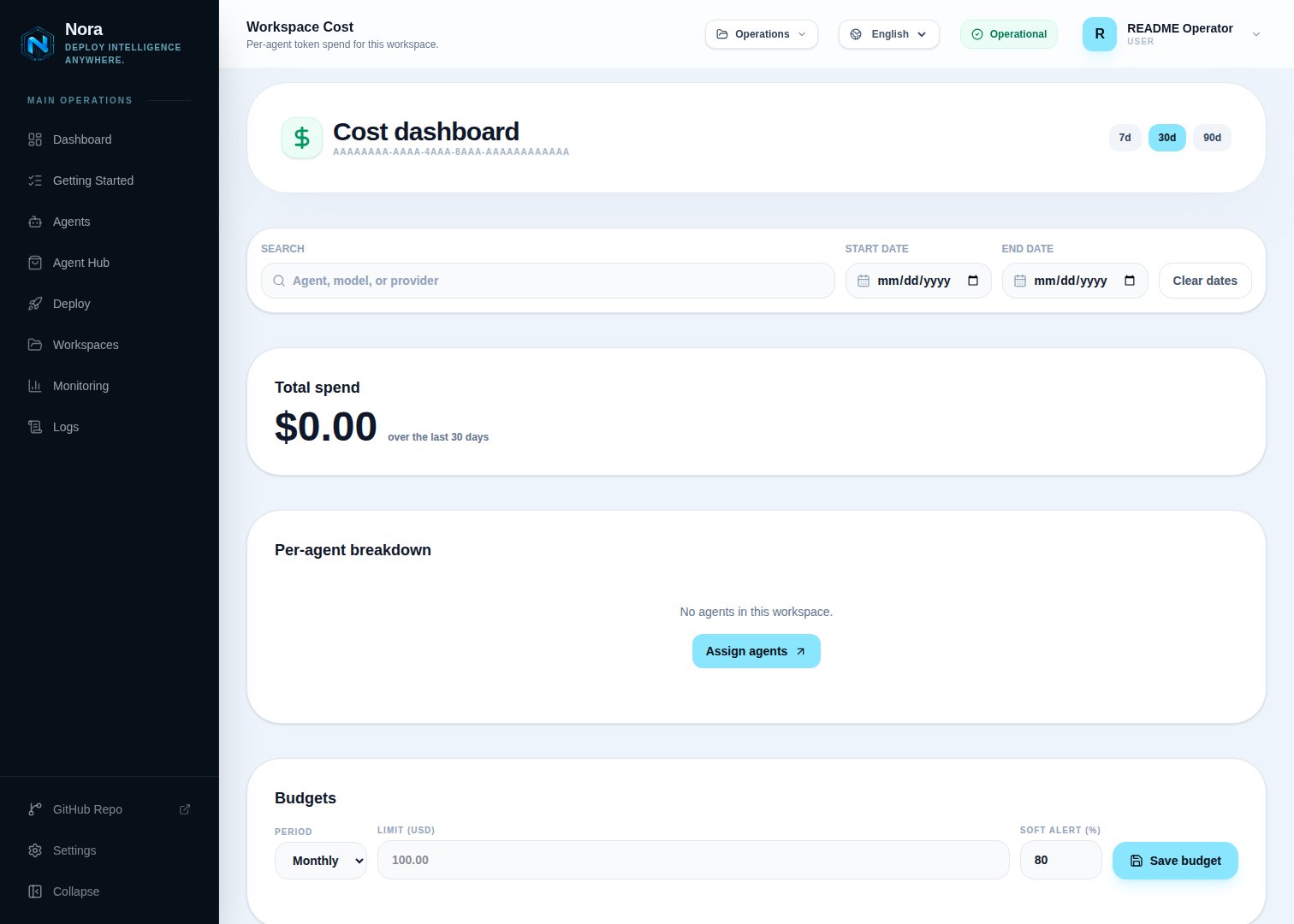
period_start=YYYY-MM-DD&period_end=YYYY-MM-DD for a custom UTC date range. The dashboard also supports searching by workspace, agent, model, or provider.
The response includes workspaces[], unassigned.perAgent[], workspaceTotalUsd, uniqueFleetTotalUsd, and each agent’s cost_details.tokens. Use uniqueFleetTotalUsd for fleet-wide totals and workspace totals for team-level budgeting.
Token cost uses COST_MODEL_RATES_JSON when the metric row includes model metadata. Rows without model metadata are grouped as Unknown model and priced with COST_PER_1K_TOKENS.
To view the accumulated cost data for one agent:
Per-agent budget caps
You can cap an agent’s LLM spend so it pauses itself before it runs away. Open an agent’s Settings tab and set one budget per period —daily, weekly, or monthly — each with a USD hard limit and a soft-threshold percent (default 80).
Nora enforces budgets automatically:
- When spend crosses the soft threshold, Nora emits an
agent.budget_soft_exceededevent as an early warning. - When spend reaches 100% of a period’s limit, Nora pauses the runtime automatically, emits
agent.budget_exceeded, and setspaused_reason = budget_exceeded. - Manually starting a still-over-cap agent clears
paused_reason, but the budget sweep re-pauses it on its next cycle (within roughly a minute) while it remains over cap.
GET /api/agents/:id/budget, PUT /api/agents/:id/budget, and DELETE /api/agents/:id/budget/:budgetId (see the agents API reference).
Performance data
Platform-level API performance metrics are available for the last 24 hours by default:since parameter: