

Agent Hub
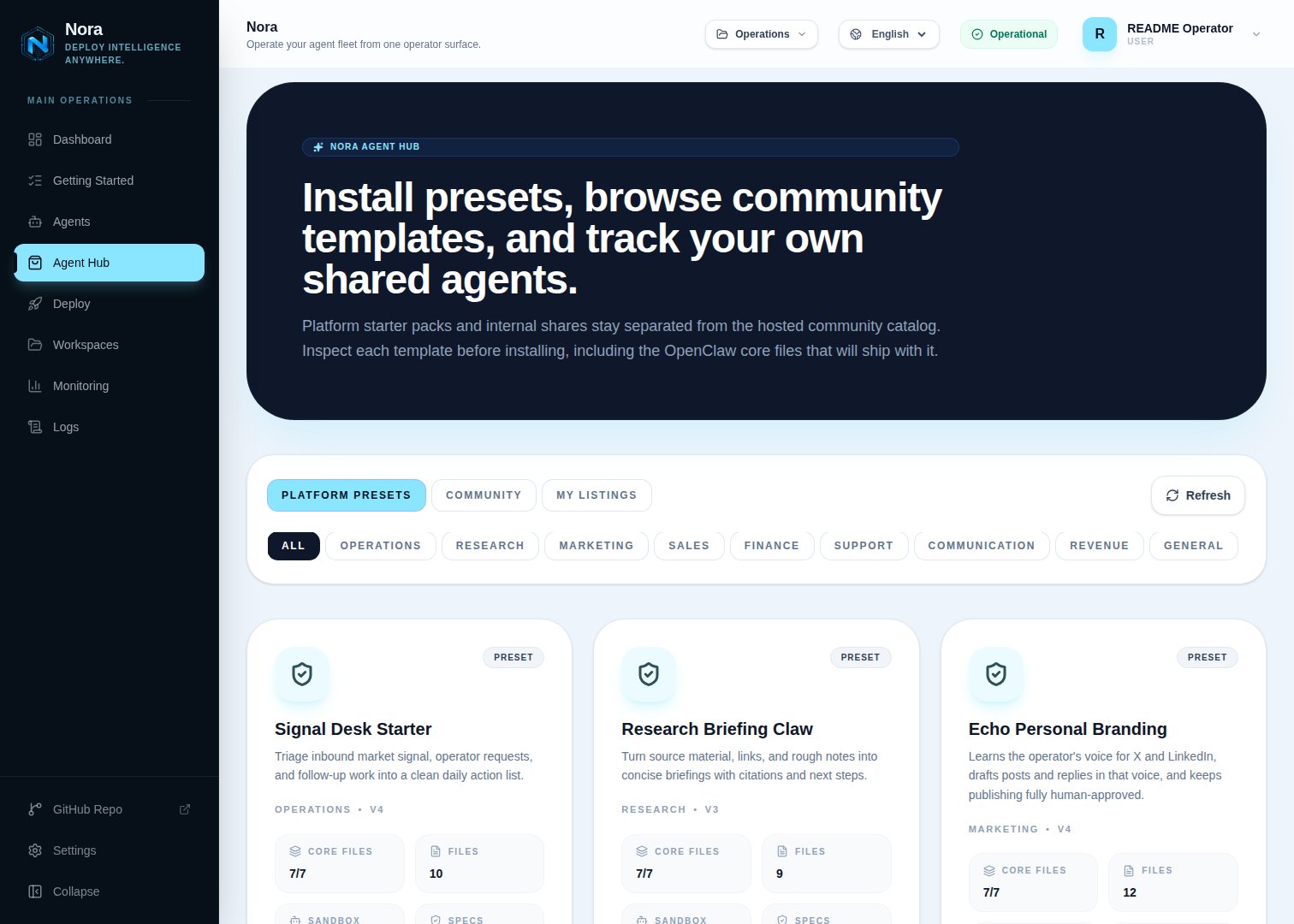
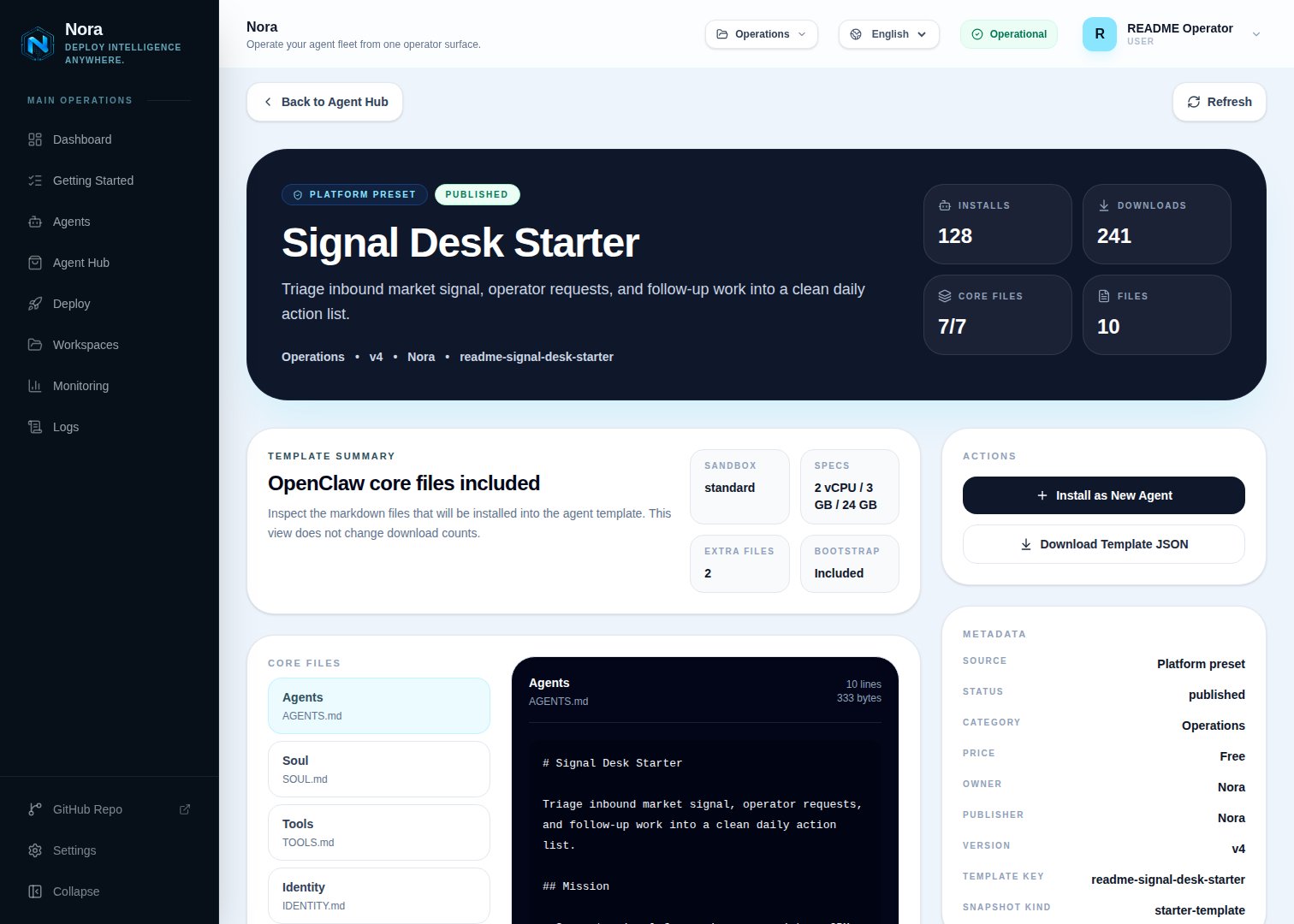
A catalog of reusable agent templates that operators can publish to their workspace, share to a community hub, and install with one click.Agent Hub is Nora’s template marketplace. A listing captures everything needed to recreate an agent — runtime family, deploy target, sandbox profile, image, environment overrides, integrations, and bootstrap files — and exposes it as a one-click install in any workspace that has access. Operators publish listings from existing agents; consumers install listings into their own workspace.
Listing types
Built-in templates ship with the platform. Workspace listings are private until you also share them outward. Community listings are pulled from the upstream catalog at
NORA_AGENT_HUB_URL (default https://nora.solomontsao.com).
Publishing by runtime family
Every listing records theruntimeFamily of the agent it was captured from (openclaw or hermes). Publishing is only accepted for families that are both supported and enabled on the instance (ENABLED_RUNTIME_FAMILIES); sharing an agent with an unknown or disabled family is rejected. The capture path differs per family:
- OpenClaw — the snapshot is exported through the agent runtime, falling back to the agent’s stored template when the runtime is unreachable. Nora guarantees the seven required core markdown files (
AGENTS.md,SOUL.md,TOOLS.md,IDENTITY.md,USER.md,HEARTBEAT.md,MEMORY.md) are present, synthesizing sensible defaults for any that are missing. - Hermes — the snapshot is captured from the live agent’s
/opt/data/workspacetree over container exec, so the agent must be running when you publish. The capture excludes Nora-generated integration artifacts (theintegrations/directory,integrations*.jsonmanifests, andNORA_INTEGRATIONS.md), all dotfiles (for example.env), any file larger than 1 MB, and stops after 200 files — truncation is flagged in the bundle metadata. The bundle additionally records the agent’s saved Hermes skills and its model selection (provider,defaultModel,baseUrl— never API keys). No OpenClaw core files are synthesized for Hermes bundles: the workspace ships exactly as captured.
Installing by runtime family
The catalog shows each listing’s family as a badge, and a family filter appears whenever the catalog contains both OpenClaw and Hermes listings. Installing resolves the listing’s family server-side — listing field first, then the snapshot’s stored defaults, then the template payload’smetadata.runtimeFamily carrier (which survives federation through hubs that predate the family field), defaulting to openclaw. A request that names a different family is rejected, as is installing a listing whose family is not enabled on the instance. The install dialog constrains the deploy target and sandbox pickers to the targets enabled for the listing’s family.
- OpenClaw — the template files (including the guaranteed core markdown set) are stored on the new agent and written into the workspace by the normal deploy bootstrap.
- Hermes — after the runtime is created, the deploy worker writes the bundle’s files into the new agent over container exec: workspace files land under
/opt/data/workspace, and files-mode skill directories captured under the reserved.hermes-skills/<name>/prefix land under/opt/data/skills. A marker file (/opt/data/.nora/template-applied) records the materialization, so redeploys whose/opt/datasurvived (Kubernetes PVCs, named volumes) never clobber files the agent has since edited; on Docker targets where/opt/datais rebuilt, the marker disappears with it and the bundle is re-materialized. The bundle’s saved skills are seeded into the agent and reinstalled by the skills reconciler on boot, and its model selection (provider,defaultModel,baseUrl— keys are never bundled) is applied as the new agent’s Hermes model config. Connect an LLM provider and any integrations after install, exactly as for a manually deployed Hermes agent.
Sharing model
Each workspace listing has ashareTarget:
Switching to
community or both triggers a sync to the upstream hub. The upstream review state is mirrored back into centralShareStatus (not_shared, queued, submitted, failed). Reviewers in the upstream hub can request changes, and the listing’s centralError surfaces the reason.
“Community” doesn’t have to mean public. The upstream hub is whatever
NORA_AGENT_HUB_URL points
at — the default public catalog, or an Agent Hub you self-host for your own company. Point it at
your own hub and community/both sharing becomes a private, org-internal catalog: every
operator publishes to and installs from a shared company hub without anything leaving your
infrastructure.Versions
A listing has one or more versions. Each version captures:- A reference to the source agent’s snapshot (image, env, files, integrations).
- A
cloneMode:files_only(recommended) orimage_and_files. - A monotonic
versionNumber.
Reports and moderation
Workspaces can report community listings for abuse or licensing concerns. Reports go through the upstream hub’s moderation queue. Rejected listings are hidden from the catalog but stay visible to the publishing workspace for context.Permissions
Agent Hub authorization is platform-level today, not workspace-role-based:Workspace-scoped RBAC for Agent Hub (viewer/editor/admin roles gating browse, install, and publish
per workspace) is on the roadmap. Until it lands, any authenticated user on the instance can
browse and install listings, and only the direct owner of an agent can publish or edit its
listing.
Agent Hub source-catalog API keys are stored hashed (HMAC with
NORA_AGENT_HUB_API_KEY_HASH_SECRET). Rotating the secret invalidates every issued key.Related
Workspaces
Workspace ownership and RBAC roles.
Agent Hub guide
Walk through publishing and installing a listing.