

Alert rules
Match emitted Nora events by pattern and deliver them to webhook or email channels with automatic retry. Workspace-scoped, configured per workspace from Settings.Alert rules let a workspace listen for specific event types and forward each match to one or more delivery channels. A rule has an event pattern (literal or suffix glob), a list of channels, and an enabled toggle. Rules only fire for events emitted within the same workspace.
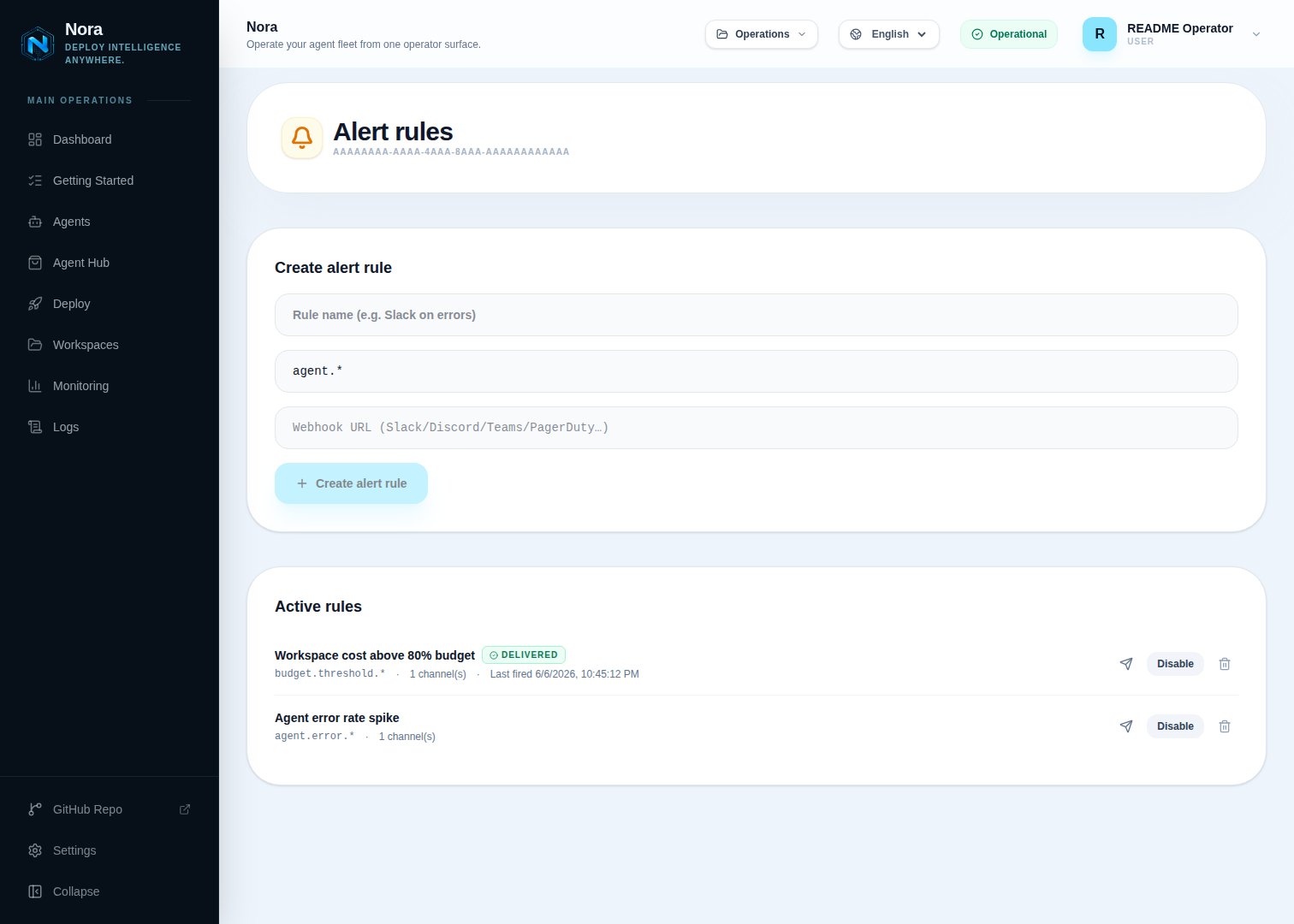
Event patterns
A pattern matches an event type using one of three forms:
Common event types include
agent_deployed, agent_stopped, backup_agent_queued, agent_hub_published, workspace_invitation_accepted, and agent.budget_paused. Most event types use underscores (e.g. agent_deployed, workspace_invitation_accepted); the dot-delimited form is reserved for budget events (agent.budget_*). The full list grows over time — point a * rule at a webhook in a staging workspace to discover what’s emitted.
Channels
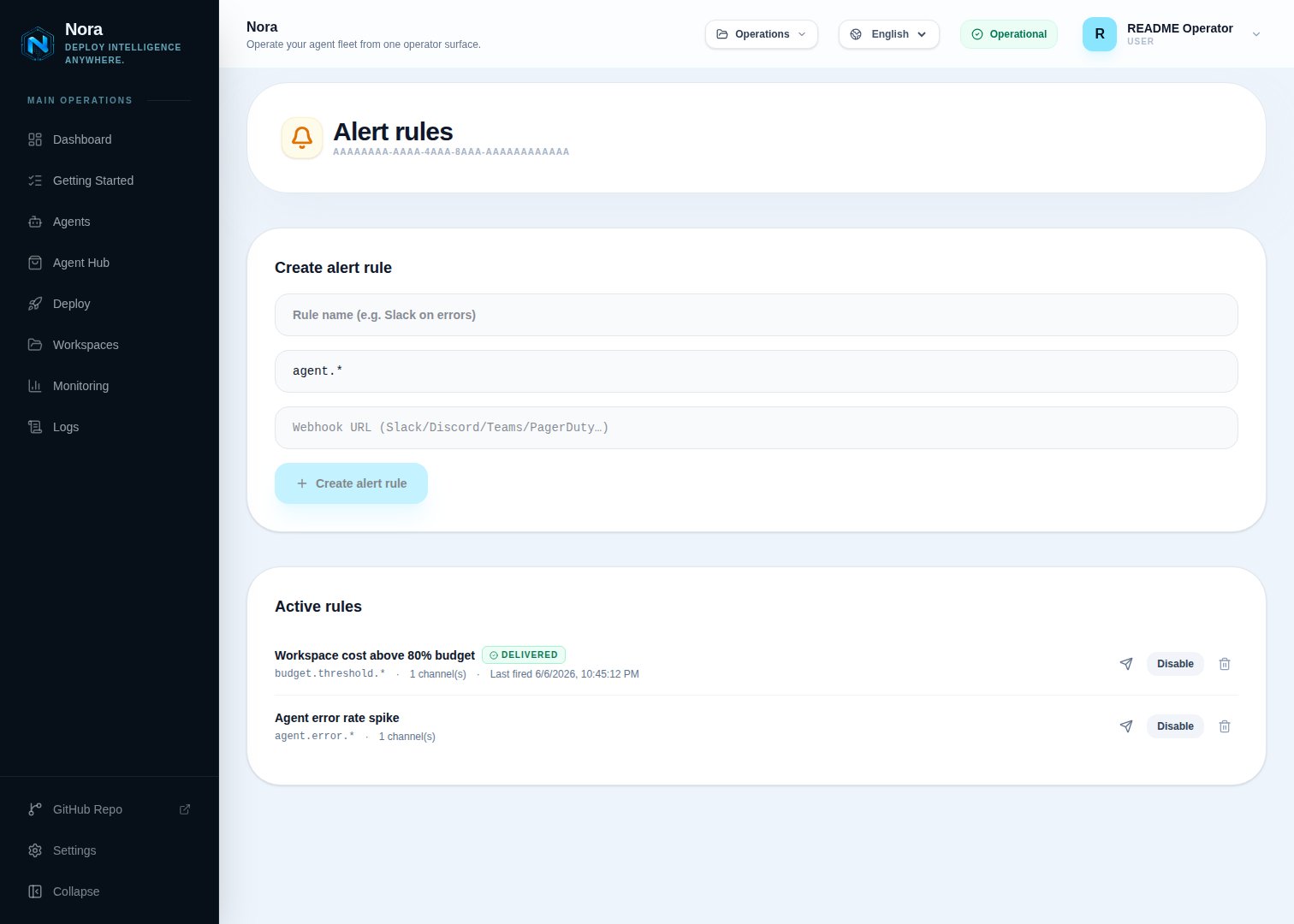
Webhook
url with optional custom headers. Each delivery is enqueued to the BullMQ alert-deliveries queue and retried with exponential backoff up to ALERT_DELIVERY_ATTEMPTS times (default 5). Every job carries a stable deliveryId — webhook receivers should dedupe on it.
The body posted to your endpoint:
Metadata is clamped to 8 KiB before queueing to keep Redis usage bounded. Pathologically large payloads are replaced with
{ truncated: true, originalBytes, workspace, agent }.subjectPrefix is bracketed into the subject line. Email channels use the mailer’s own retry semantics — if delivery fails, the rule’s lastError records the reason synchronously.
Lifecycle and observability
Each rule tracks two timestamps:lastFiredAt— last time the pattern matched an event in the workspace.lastError— most recent terminal delivery failure across all channels for this rule. Webhook failures populate this only after BullMQ exhausts retries; email failures populate it inline.
Permissions
Troubleshooting
Webhook returns 5xx and never recovers
Webhook returns 5xx and never recovers
BullMQ retries
ALERT_DELIVERY_ATTEMPTS times (default 5) with exponential backoff. After the final attempt fails, lastError shows webhook:Webhook returned <status>. Check the receiver, then trigger a test event from the rule editor to re-fire delivery.Email channel says not_configured
Email channel says not_configured
The platform mailer isn’t configured. Set up SMTP in Admin Settings (or set
MAILER_* env vars), then resend.Rule fires for events from other workspaces
Rule fires for events from other workspaces
Rules filter by
metadata.workspace.id on each event. If you see cross-workspace fires, the emitter is missing workspace metadata — file an issue with the event type.