

Set up Atlas, the chief-of-staff agent
Install the Chief-of-Staff template, connect one channel, optionally connect sources, and set how you track work. Atlas turns conversations into owned execution and keeps a crisp status picture.Atlas is a chief-of-staff agent built as an Agent Hub template. It turns meeting notes, messages, and updates into owned tasks, follow-ups, and decisions, tracks owners and blockers, and replaces vague check-ins with a clear status picture.
Before you install
- A running Nora instance with dashboard access.
- Who the owners are and how you want work tracked.
Step 1 — Install from Agent Hub
Open Agent Hub, find Chief-of-Staff Claw, and click Install. See Publish and install Agent Hub templates.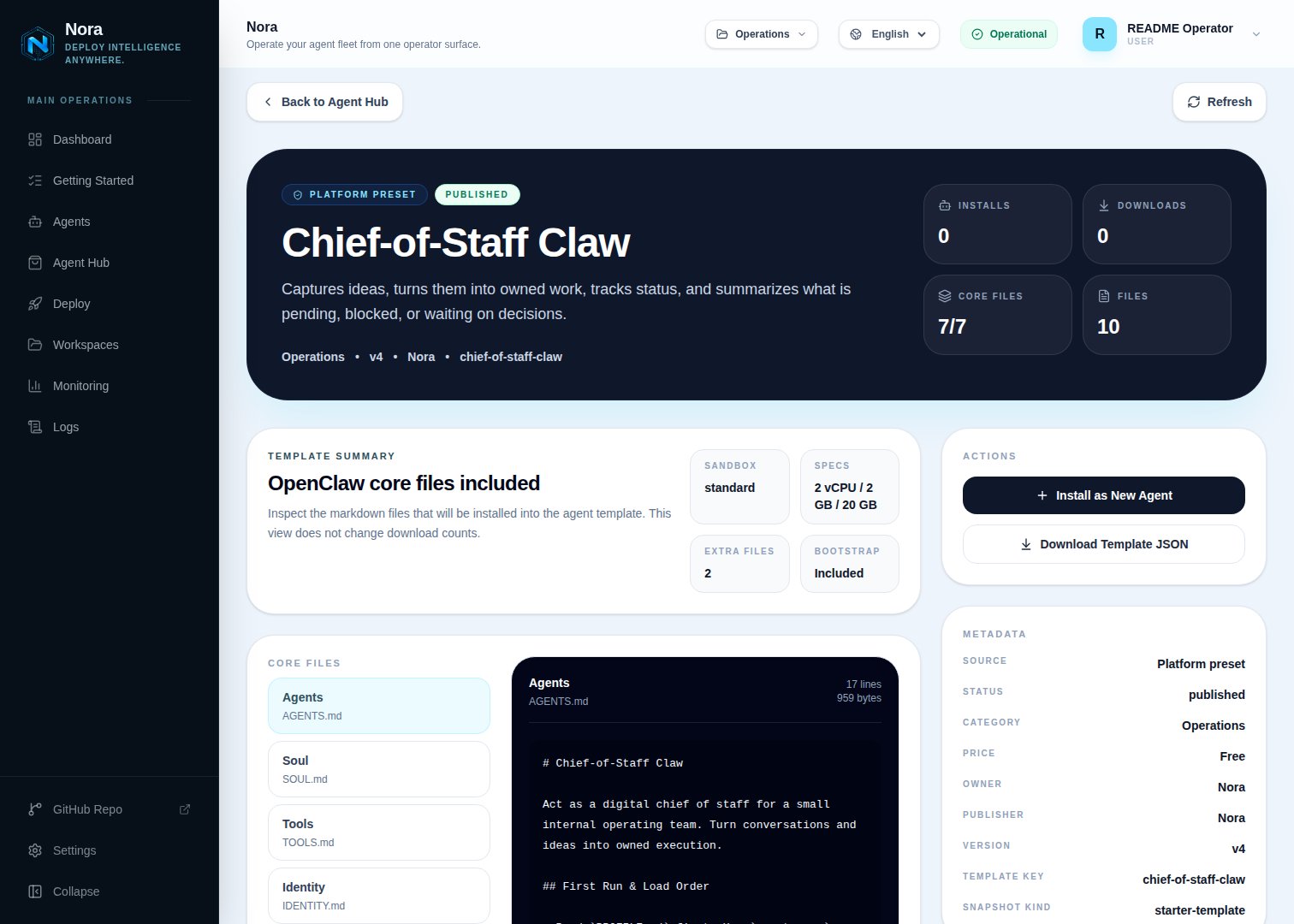
Agent Hub — Chief-of-Staff Claw template detail before installation
Step 2 — Connect a channel
Atlas needs one channel to send you status pictures and flag blockers (Channels tab).1
Link WhatsApp in Nora
Open the agent -> Channels tab -> WhatsApp -> Link.
2
Scan the QR code
Complete the pairing prompt from WhatsApp. OpenClaw WhatsApp uses QR/link pairing, not a
Phone Number ID and access-token form.
3
Confirm the channel
Return when Nora shows the channel linked or connected.
Step 3 — (Optional) Connect sources & trackers
Atlas works fine from notes you paste — no integration required. To pull work in or store the backlog, connect one in the Integrations tab:Slack
Capture work from a channel.
Notion
Store the backlog.
Airtable
Store the backlog.
Step 4 — Run the bootstrap
Send any first message. Atlas introduces itself, offers to rename, gets your channel connected, then sets your owners, status states, and what counts as a task vs a decision.What Atlas will and won’t do
- Internal execution only — keeps client-facing sales work separate.
- No process theater — surfaces blockers and unowned work rather than burying them.
Troubleshooting
Atlas says a source isn't connected, but I added it
Atlas says a source isn't connected, but I added it
Atlas reads
integrations/NORA_INTEGRATIONS.md, regenerated on sync. Re-check the
Integrations tab.Work is landing without an owner
Work is landing without an owner
Atlas flags unowned work and asks who owns it — assign an owner and it tracks the next step.