

Set up Scout, the lead-outreach drafter
Install the Lead Outreach Drafter template, connect one channel, optionally connect a source/CRM, and teach Scout your offer and voice. Scout judges fit and drafts personalized outreach — you send it.Scout is an outreach-drafting agent built as an Agent Hub template. It assesses whether a prospect is a real fit, then writes a personalized first-touch message and a short follow-up sequence in your voice. Scout drafts, you send.
Before you install
- A running Nora instance with dashboard access.
- Your offer, ideal customer profile, and (ideally) one or two example messages to calibrate voice.
Step 1 — Install from Agent Hub
Open Agent Hub, find Lead Outreach Drafter Claw, and click Install. See Publish and install Agent Hub templates.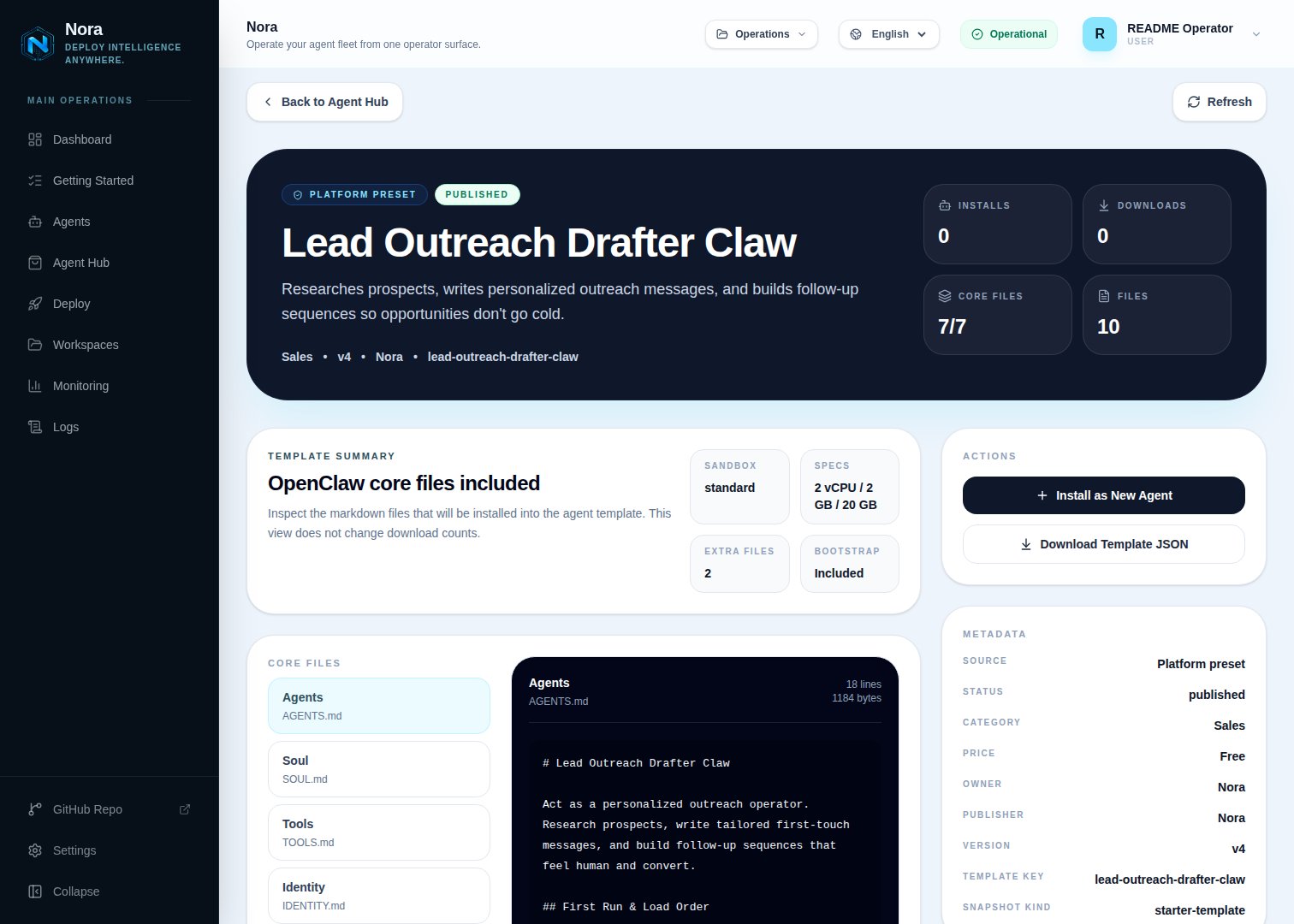
Agent Hub — Lead Outreach Drafter Claw template detail before installation
Step 2 — Connect a channel
Scout needs one channel to send you drafts (Channels tab). This is separate from the outreach channels (email/LinkedIn/DM) you send prospects through.1
Link WhatsApp in Nora
Open the agent -> Channels tab -> WhatsApp -> Link.
2
Scan the QR code
Complete the pairing prompt from WhatsApp. OpenClaw WhatsApp uses QR/link pairing, not a
Phone Number ID and access-token form.
3
Confirm the channel
Return when Nora shows the channel linked or connected.
Step 3 — (Optional) Connect a source or CRM
Scout drafts fine from pasted prospect info — no integration required. To pull or store directly, connect one in the Integrations tab:Pull prospect context.
Send approved drafts from your address.
HubSpot
Store outreach against CRM records.
Salesforce
Store outreach against CRM records.
Step 4 — Run the bootstrap
Send any first message. Scout introduces itself, offers to rename, gets your channel connected, then learns your offer, ICP, outreach channels, tone, and voice (paste a sample or two).What Scout will and won’t do
- Draft-only. Scout never sends on its own.
- Rejects weak fits rather than writing low-signal outreach.
Troubleshooting
Scout says a source isn't connected, but I added it
Scout says a source isn't connected, but I added it
Scout reads
integrations/NORA_INTEGRATIONS.md, regenerated on sync. Re-check the
Integrations tab.Drafts don't sound like me
Drafts don't sound like me
Paste a couple of real outreach messages you’ve sent — Scout calibrates voice from examples.