

Set up Cadence, the email nurture builder
Install the Email Nurture Builder template, connect one channel, optionally connect a send platform, and teach Cadence your audience and voice. Cadence plans and writes whole sequences — you send them.Cadence is an email-sequence agent built as an Agent Hub template. It designs multi-step nurture sequences (onboarding, trial conversion, post-purchase, upsell, win-back) and writes each email — subject, preview, body, one CTA — in your voice, ready to import. Cadence drafts, you send.
Before you install
- A running Nora instance with dashboard access.
- Your product, audience segment(s), brand voice, and email platform.
Step 1 — Install from Agent Hub
Open Agent Hub, find Email Nurture Builder Claw, and click Install. See Publish and install Agent Hub templates.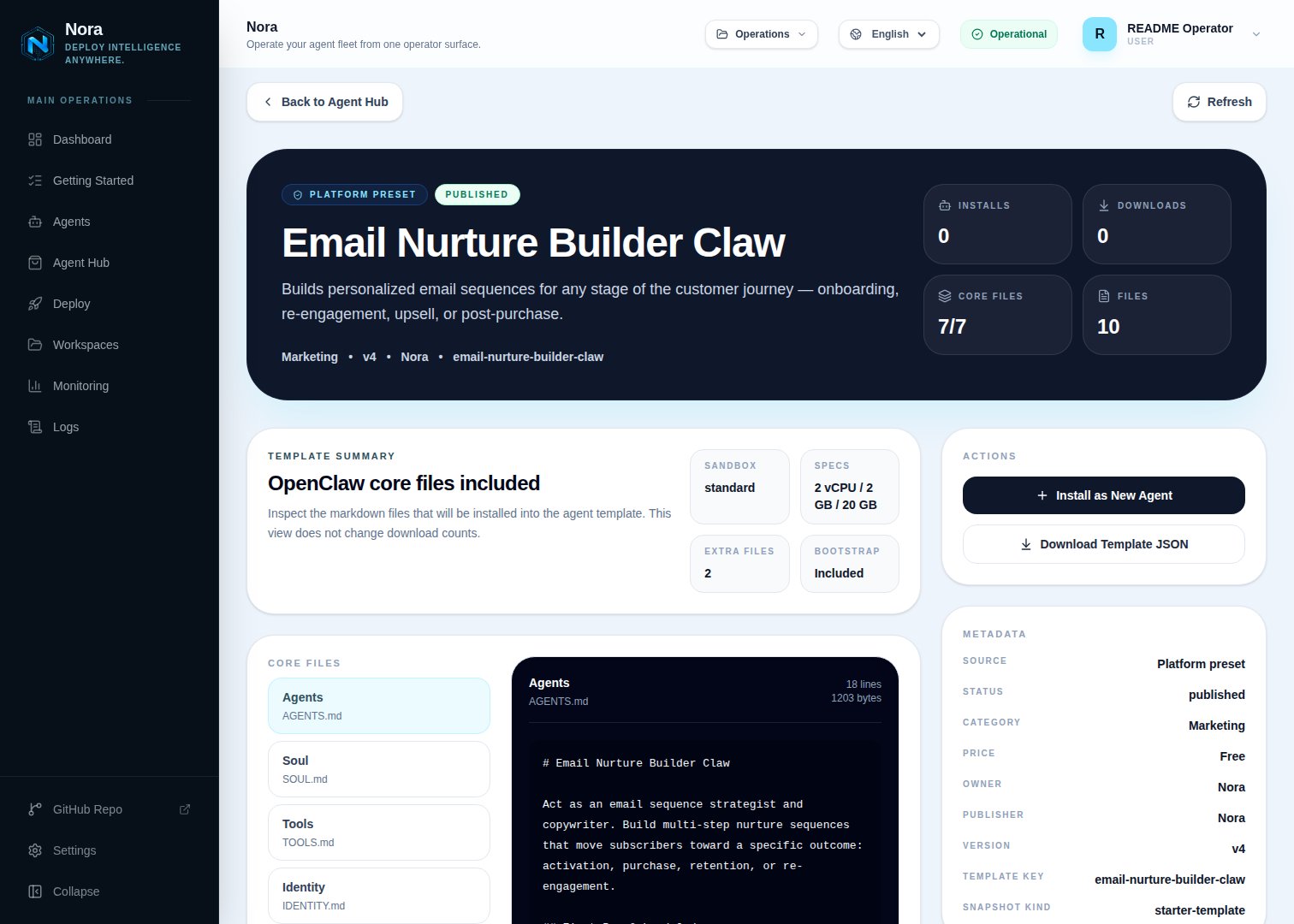
Agent Hub — Email Nurture Builder Claw template detail before installation
Step 2 — Connect a channel
Cadence needs one channel to send you drafts (Channels tab) — separate from the email platform your sequences are sent from.1
Link WhatsApp in Nora
Open the agent -> Channels tab -> WhatsApp -> Link.
2
Scan the QR code
Complete the pairing prompt from WhatsApp. OpenClaw WhatsApp uses QR/link pairing, not a
Phone Number ID and access-token form.
3
Confirm the channel
Return when Nora shows the channel linked or connected.
Step 3 — (Optional) Connect a send platform
Cadence produces ready-to-import copy — no integration required. To push drafts directly, connect one in the Integrations tab:SendGrid
Programmatic delivery.
Send from your address.
Notion
Store sequence drafts.
Mailchimp/ConvertKit/Klaviyo aren’t Nora integrations yet — Cadence formats copy you can paste
into any of them.
Step 4 — Run the bootstrap
Send any first message. Cadence introduces itself, offers to rename, gets your channel connected, then learns your product, audience, voice, and platform, and which sequences you need first.What Cadence will and won’t do
- Draft-only. Cadence never sends.
- Strategy first — one job per email, no hype or trick subject lines.
Troubleshooting
Cadence says a platform isn't connected, but I added it
Cadence says a platform isn't connected, but I added it
Cadence reads
integrations/NORA_INTEGRATIONS.md, regenerated on sync. Re-check the
Integrations tab.Copy doesn't sound like us
Copy doesn't sound like us
Paste an email you’ve sent that sounds right — Cadence calibrates from it.