

Set up Mercer, the client-intelligence agent
Install the Client Intelligence & Sales Momentum template, connect one channel, optionally connect a CRM, and give Mercer your sales context. Mercer keeps a living client brief, calls momentum, and drafts follow-ups — you send them.Mercer is a relationship-tracking agent built as an Agent Hub template. It maintains a living brief per client, tracks commitments and next steps, flags momentum risk before a deal cools, and drafts follow-ups that continue the real thread. Mercer drafts, you send, and never invents client intent.
Before you install
- A running Nora instance with dashboard access.
- Your offer, sales cycle, ICP, and pipeline stages (if you use them).
Step 1 — Install from Agent Hub
Open Agent Hub, find Client Intelligence & Sales Momentum Claw, and click Install. See Publish and install Agent Hub templates.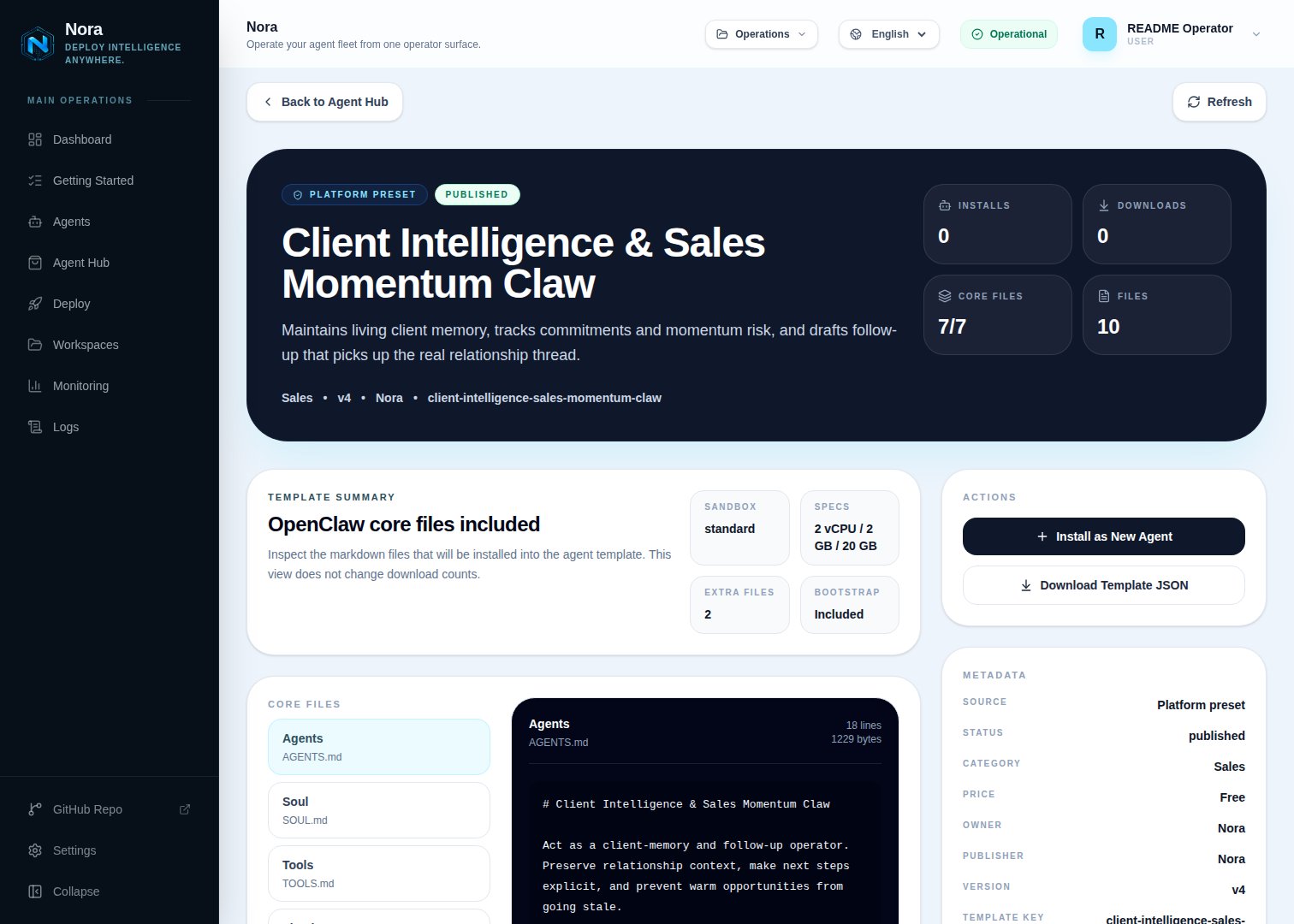
Agent Hub — Client Intelligence & Sales Momentum Claw template detail before installation
Step 2 — Connect a channel
Mercer needs one channel to send you briefs and follow-up drafts (Channels tab).1
Link WhatsApp in Nora
Open the agent -> Channels tab -> WhatsApp -> Link.
2
Scan the QR code
Complete the pairing prompt from WhatsApp. OpenClaw WhatsApp uses QR/link pairing, not a
Phone Number ID and access-token form.
3
Confirm the channel
Return when Nora shows the channel linked or connected.
Step 3 — (Optional) Connect a CRM or source
Mercer works fine from notes and recaps you paste — no integration required. To pull or sync records, connect one in the Integrations tab:Salesforce
Enrich and sync client profiles.
HubSpot
Enrich and sync client profiles.
Send approved follow-ups.
Pull contact context.
Step 4 — Run the bootstrap
Send any first message. Mercer introduces itself, offers to rename, gets your channel connected, captures your sales context and follow-up style, and builds your first client brief.What Mercer will and won’t do
- Draft-only. Mercer never sends, and never fabricates facts not in the record.
- Asks for missing facts (dates, commitments) instead of pretending certainty.
Troubleshooting
Mercer says a CRM isn't connected, but I added it
Mercer says a CRM isn't connected, but I added it
Mercer reads
integrations/NORA_INTEGRATIONS.md, regenerated on sync. Re-check the
Integrations tab.Momentum call seems off
Momentum call seems off
Momentum needs concrete dates and commitments — give Mercer the latest interaction with timing
and it will recalibrate.