

Set up Penny, the invoice follow-up agent
Install the Invoice Follow-Up template, connect one channel, optionally connect billing, and set your terms. Penny drafts stage-appropriate payment reminders — you send them.Penny is an invoice follow-up agent built as an Agent Hub template. It classifies where an invoice sits in the collection timeline and drafts the right reminder — a gentle nudge, a firm notice, or a final demand — tuned to the client relationship. Penny drafts, you send, and never decides write-offs or legal action.
Before you install
- A running Nora instance with dashboard access.
- Your payment terms, accepted methods, and an escalation threshold.
Step 1 — Install from Agent Hub
Open Agent Hub, find Invoice Follow-Up Claw, and click Install. See Publish and install Agent Hub templates.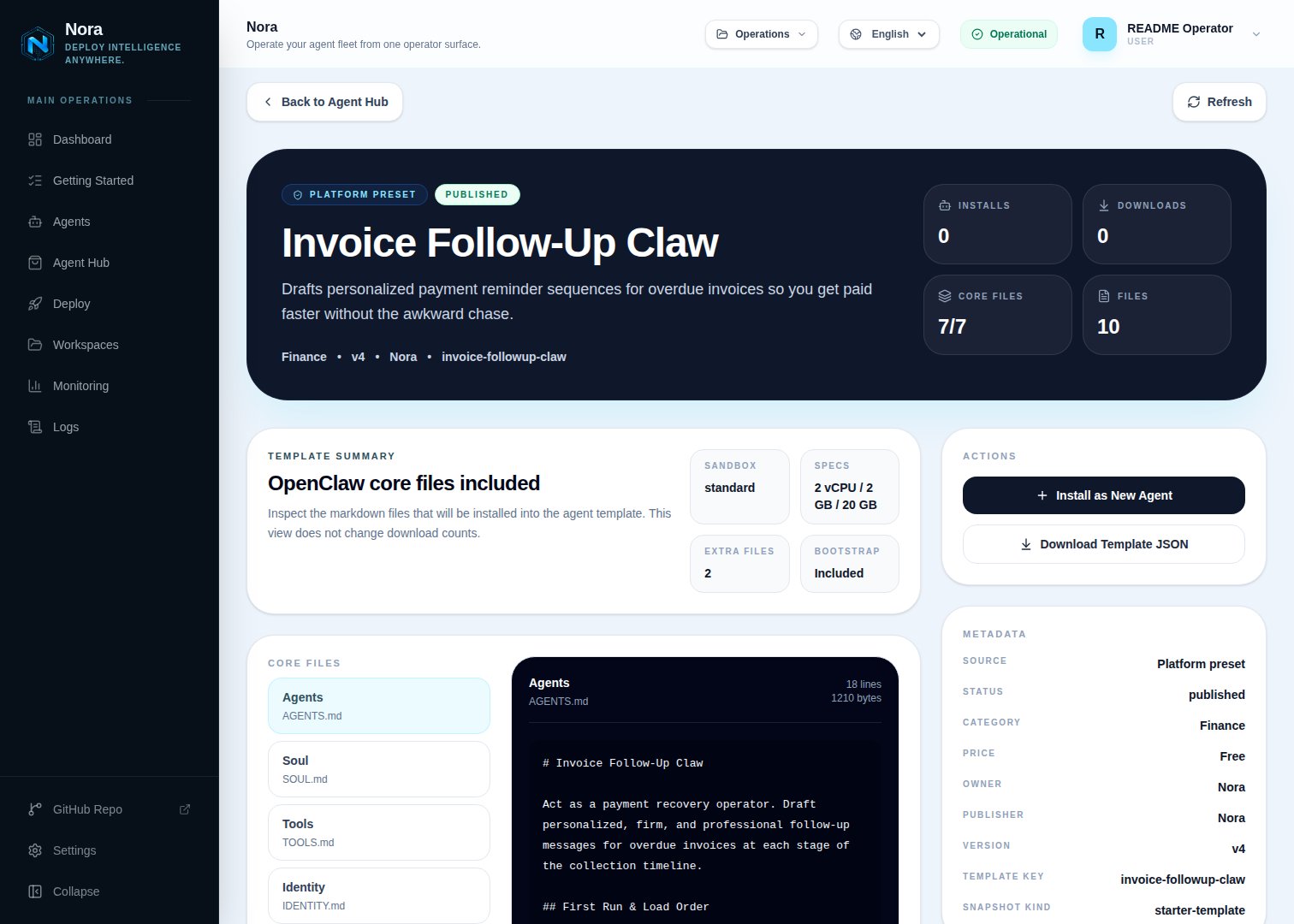
Agent Hub — Invoice Follow-Up Claw template detail before installation
Step 2 — Connect a channel
Penny needs one channel to send you drafts (Channels tab).1
Link WhatsApp in Nora
Open the agent -> Channels tab -> WhatsApp -> Link.
2
Scan the QR code
Complete the pairing prompt from WhatsApp. OpenClaw WhatsApp uses QR/link pairing, not a
Phone Number ID and access-token form.
3
Confirm the channel
Return when Nora shows the channel linked or connected.
Step 3 — (Optional) Connect billing
Penny drafts fine from invoice details you paste — no integration required. To pull invoice/payment status directly, connect one in the Integrations tab:Stripe
Read invoices and payment status.
Send approved reminders from your address.
QuickBooks and Xero aren’t available as Nora integrations yet — paste those invoice details in and
Penny works from them.
Step 4 — Run the bootstrap
Send any first message. Penny introduces itself, offers to rename, gets your channel connected, then captures your business name, payment terms, accepted methods, default tone, and escalation threshold.What Penny will and won’t do
- Draft-only, and never decides write-offs or legal action.
- No aggressive or shaming messages — disputes and edge cases escalate to you.
Troubleshooting
Penny says billing isn't connected, but I added it
Penny says billing isn't connected, but I added it
Penny reads
integrations/NORA_INTEGRATIONS.md, regenerated on sync. Re-check the
Integrations tab.An invoice looks disputed
An invoice looks disputed
Penny flags dispute signals and recommends a conversation-first approach instead of a standard
reminder.