

Set up Signal, the market-signal content agent
Install the Social Media & Market Signal template, connect one channel, optionally connect social accounts, and define your brand and signal rules. Signal researches trends and drafts review-ready content packages — you approve and publish.Signal is a research-and-drafting agent built as an Agent Hub template. It scans for trends and conversations in your space, filters out the hype that doesn’t fit your audience, and turns the signals that matter into review-ready post packages — angle, hook, draft, hashtags, visual direction. Nothing is auto-published.
Before you install
- A running Nora instance with dashboard access.
- Your brand positioning, audience, platforms, content pillars, and what counts as a useful signal.
Step 1 — Install from Agent Hub
Open Agent Hub, find Social Media & Market Signal Claw, and click Install. See Publish and install Agent Hub templates.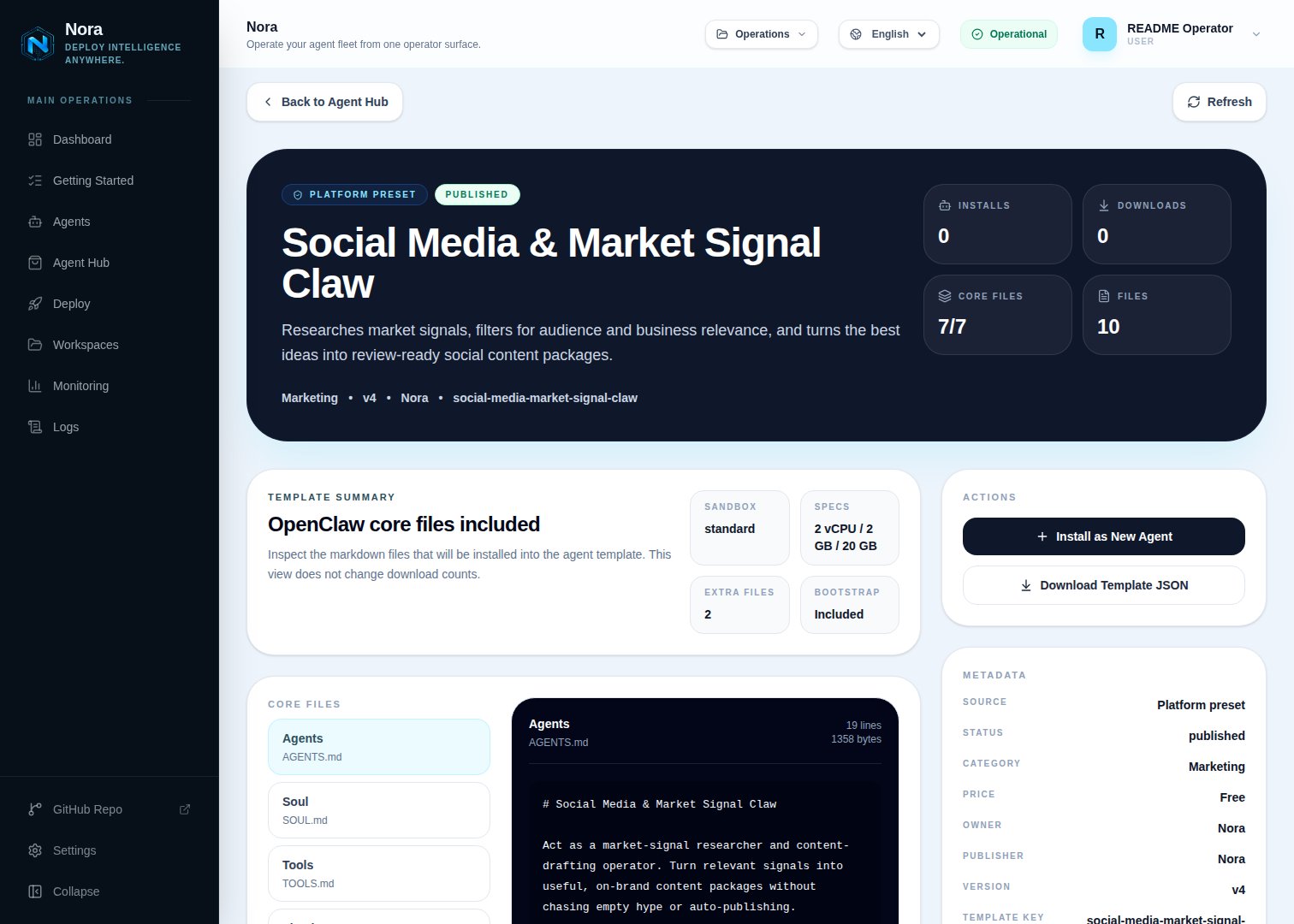
Agent Hub — Social Media & Market Signal Claw template detail before installation
Step 2 — Connect a channel
Signal needs one channel to send you briefs and drafts (Channels tab) — separate from the social platforms you publish to.1
Link WhatsApp in Nora
Open the agent -> Channels tab -> WhatsApp -> Link.
2
Scan the QR code
Complete the pairing prompt from WhatsApp. OpenClaw WhatsApp uses QR/link pairing, not a
Phone Number ID and access-token form.
3
Confirm the channel
Return when Nora shows the channel linked or connected.
Step 3 — (Optional) Connect social accounts
Signal researches and drafts on its own — no integration required. To publish the packages you approve (still human-gated), connect one in the Integrations tab:Post approved drafts.
Twitter / X
Post approved drafts.
Insights (read-oriented).
Page posts.
Notion
Store the content calendar.
Step 4 — Run the bootstrap
Send any first message. Signal introduces itself, offers to rename, gets your channel connected, then captures your brand, audience, platforms, voice, and the rules for what counts as a useful signal.What Signal will and won’t do
- Never auto-publishes — every package stays in review until you approve.
- Says no to weak signals rather than manufacturing content from thin trends.
Troubleshooting
Signal says an account isn't connected, but I added it
Signal says an account isn't connected, but I added it
Signal reads
integrations/NORA_INTEGRATIONS.md, regenerated on sync. Re-check the
Integrations tab. Publishing still requires your approval even when connected.Too many low-fit ideas
Too many low-fit ideas
Tighten the signal rules and always-skip list in setup — Signal filters against your audience
and brand fit.