

Set up Sentry, the communication-intelligence agent
Install the Communication Intelligence template, connect one channel to reach you, point Sentry at the chats to watch, and set your trigger rules. Sentry stays quiet by default and escalates only what matters.Sentry is a communication-triage agent built as an Agent Hub template. It watches the chats you point it at, stays silent on the noise, and surfaces only what needs you — direct mentions, real asks, decisions, deadlines, and the topics you care about.
Two different connections
Sentry uses two separate things — don’t confuse them:- The channel that reaches you (Channels tab) — how Sentry escalates to you.
- The sources it monitors — the chats it reads (live via Integrations, or imported logs).
Step 1 — Install from Agent Hub
Open Agent Hub, find Communication Intelligence Claw, and click Install. See Publish and install Agent Hub templates.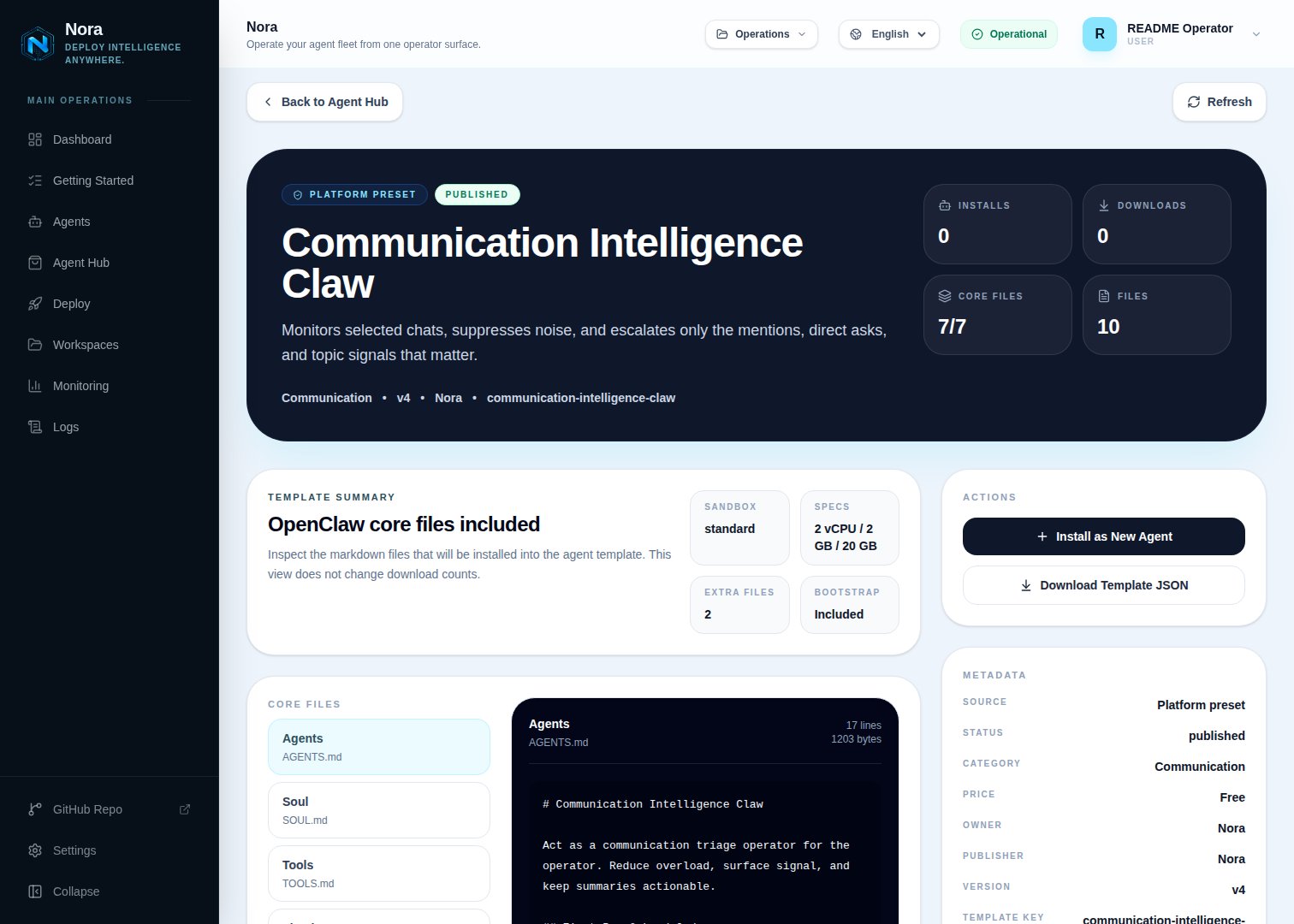
Agent Hub — Communication Intelligence Claw template detail before installation
Step 2 — Connect a channel to reach you
Sentry needs one channel to escalate to you (Channels tab).1
Link WhatsApp in Nora
Open the agent -> Channels tab -> WhatsApp -> Link.
2
Scan the QR code
Complete the pairing prompt from WhatsApp. OpenClaw WhatsApp uses QR/link pairing, not a
Phone Number ID and access-token form.
3
Confirm the channel
Return when Nora shows the channel linked or connected.
Step 3 — Point Sentry at what to watch
Two ways, mix as needed:-
Live monitoring — connect a source in the Integrations tab so Sentry reads it directly:
Slack
Monitor channels/DMs.Email
Monitor threads. - Imported logs — paste or import chat exports (WhatsApp/WeChat/group logs); no integration required.
Step 4 — Run the bootstrap
Send any first message. Sentry introduces itself, offers to rename, gets your reach-me channel connected, helps you point it at sources, then captures the people, channels, topics, and trigger rules that decide when it breaks silence.What Sentry will and won’t do
- Silence by default — it filters attention, it doesn’t amplify chatter.
- Grounded — never fabricates context; flags what still needs confirmation.
Troubleshooting
Sentry says a source isn't connected, but I added it
Sentry says a source isn't connected, but I added it
Sentry reads
integrations/NORA_INTEGRATIONS.md, regenerated on sync. Re-check the
Integrations tab.Too many (or too few) escalations
Too many (or too few) escalations
Tune the trigger rules — key people, in-scope channels, topics, and what’s always noise. Sentry
escalates only when a trigger fires.